Compare FileSpin
FileSpin vs Bynder
Bynder brings asset management, brand consistency and content distribution together for enterprise teams. If your team needs to prepare digital media, get approvals and deliver across channels, consider FileSpin.
FileSpin keeps originals, preparation, review and delivery in one library, with campaign and usage insights alongside. Optional AI Agents and Scheduled Agents take on routine work within per-user budgets.
By FileSpin · Updated 15 October 2026
Should you shortlist FileSpin?
Shortlist FileSpin when:
- Your team prepares product or event media for many channels, and you want sizes, formats, background removal and video outputs created from the same library you manage it in.
- You want review, delivery and usage reporting on the same assets, without exporting files between tools.
- You want to work from the Dashboard and APIs, with an optional AI Agent and MCP tools under per-user budgets.
Bynder may fit better when:
- Brand guidelines, templated creative production and brand governance are the centre of your requirements.
- You want a module-based enterprise DAM package with a large integration marketplace already in place.
What to test before you decide:
- Take one product line or event from upload to the outputs each channel needs.
- Run a review with an external approver, then share the approved files.
- Map a sample of your Bynder metaproperties and collections, and plan how delivery links will change.
FileSpin and Bynder at a glance
Bynder details are taken from Bynder’s public product pages and documentation, checked 15 October 2026.
Find the right asset, then reuse the work
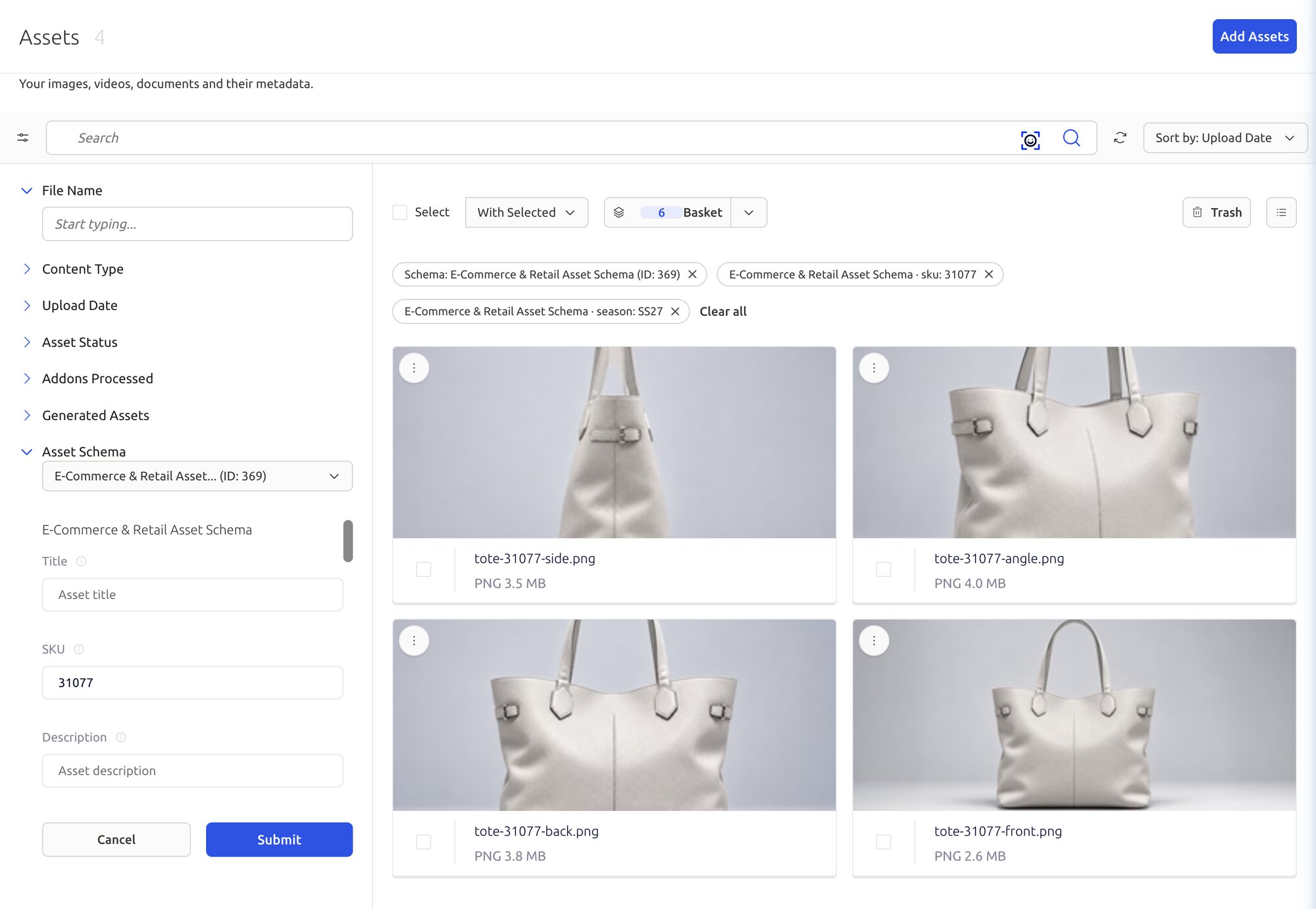
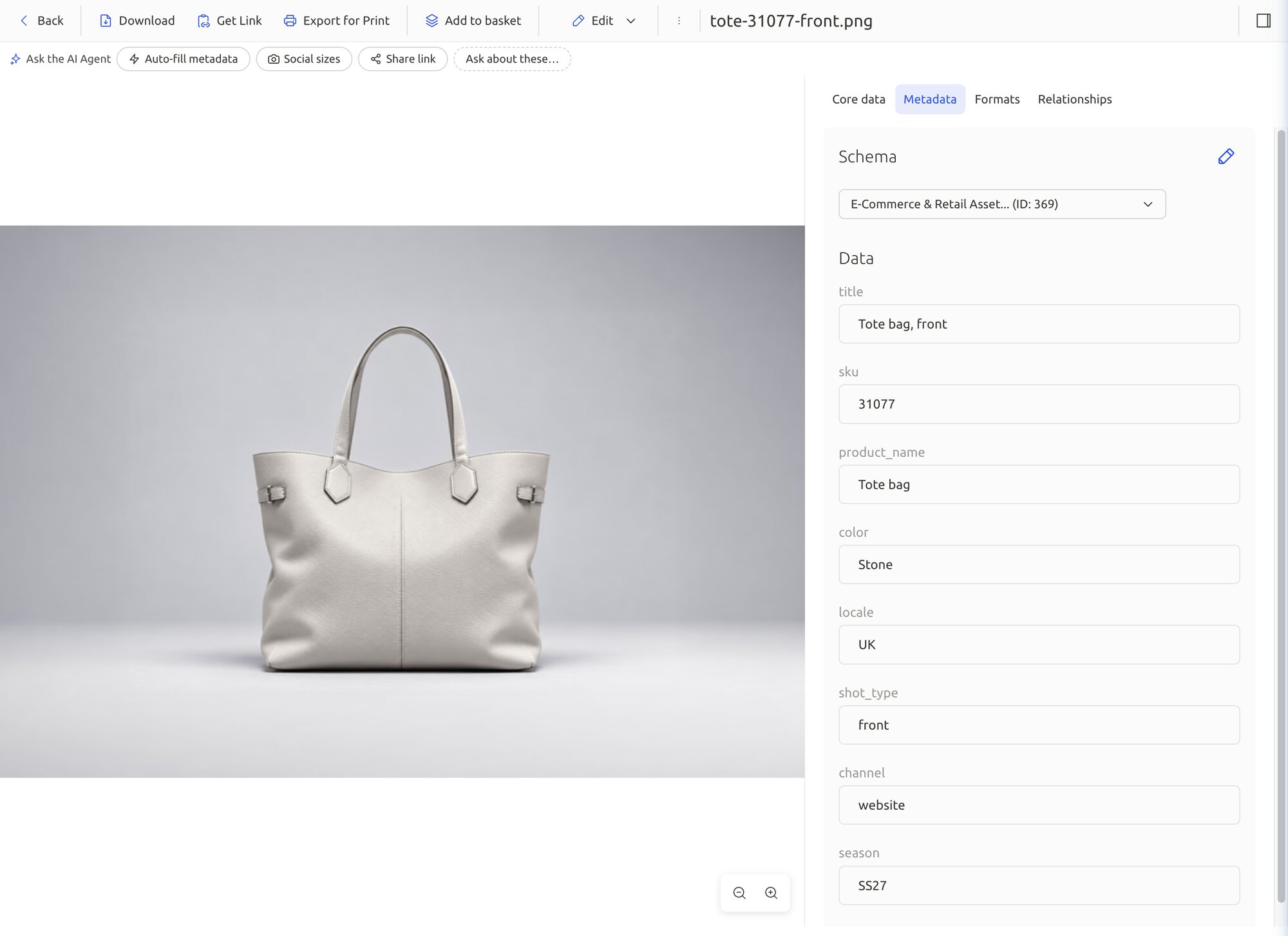
Product images need SKU, colour and season. Event media needs session, speaker and sponsor. FileSpin’s assignable schemas keep both in one library, and search combines keywords, field filters, OCR and face search. Versions, relationships and collections keep originals, edits and related files together for the next step.
Bynder offers configurable metaproperties and collections, with natural-language, visual and similarity search.
One original, ready for different channels
Turn one product photograph into a catalogue card, a detail view and a campaign banner through URL transformations, while the original stays in your library. Background removal, ghost mannequin and saved AI edit sequences prepare catalogue images before review.
Bynder’s DAT also supports URL transformations, including crops, overlays and WebP and AVIF output.

Turn video recordings into reusable media
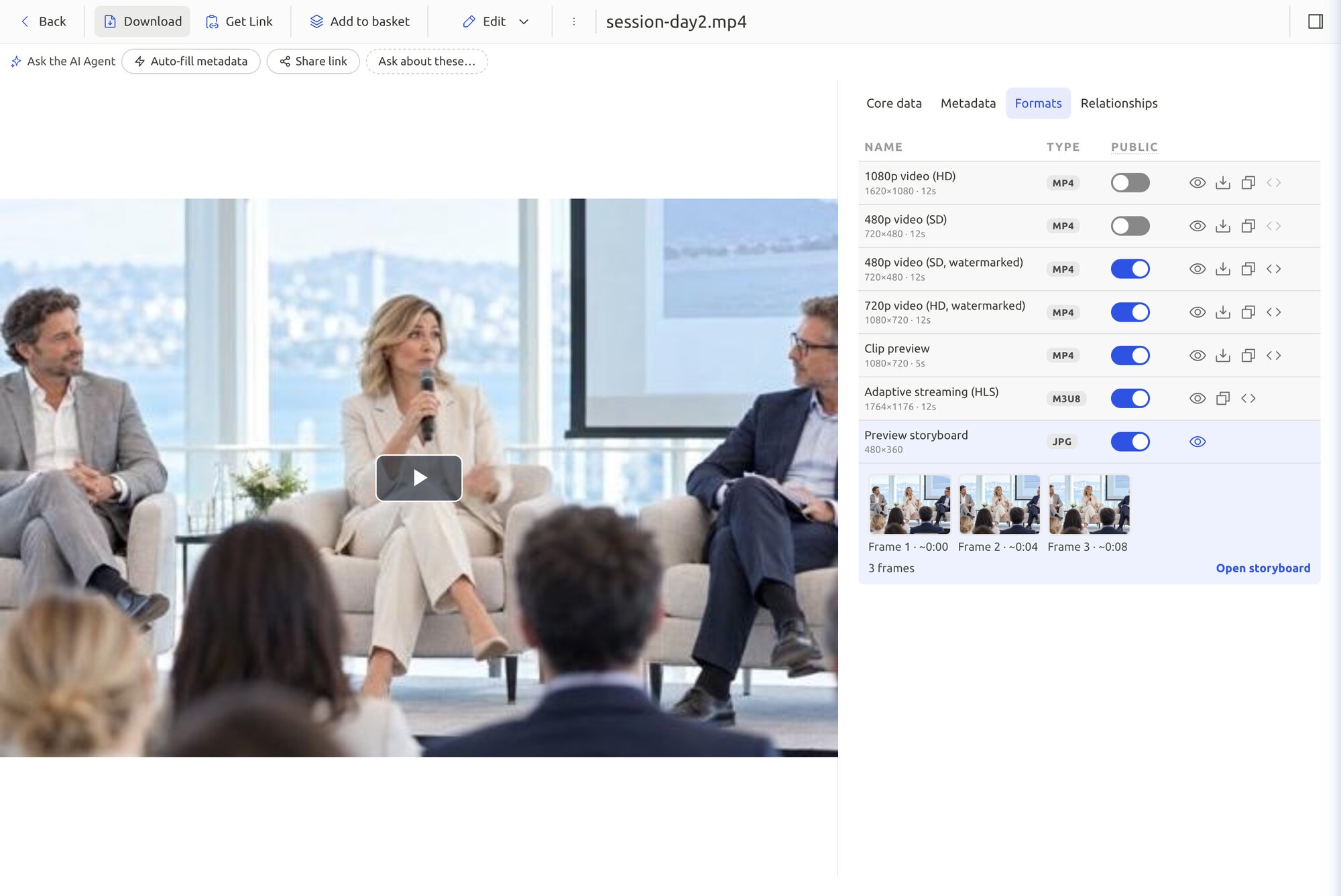
Keep the recording in the library and create SD and HD versions, adaptive HLS streams, clips and storyboards from it. Then deliver the approved media to your website or app.
Bynder delivers HLS and DASH video through CX Omnichannel/DAT.
Explore video library publishing →
Keep feedback and approval beside the asset
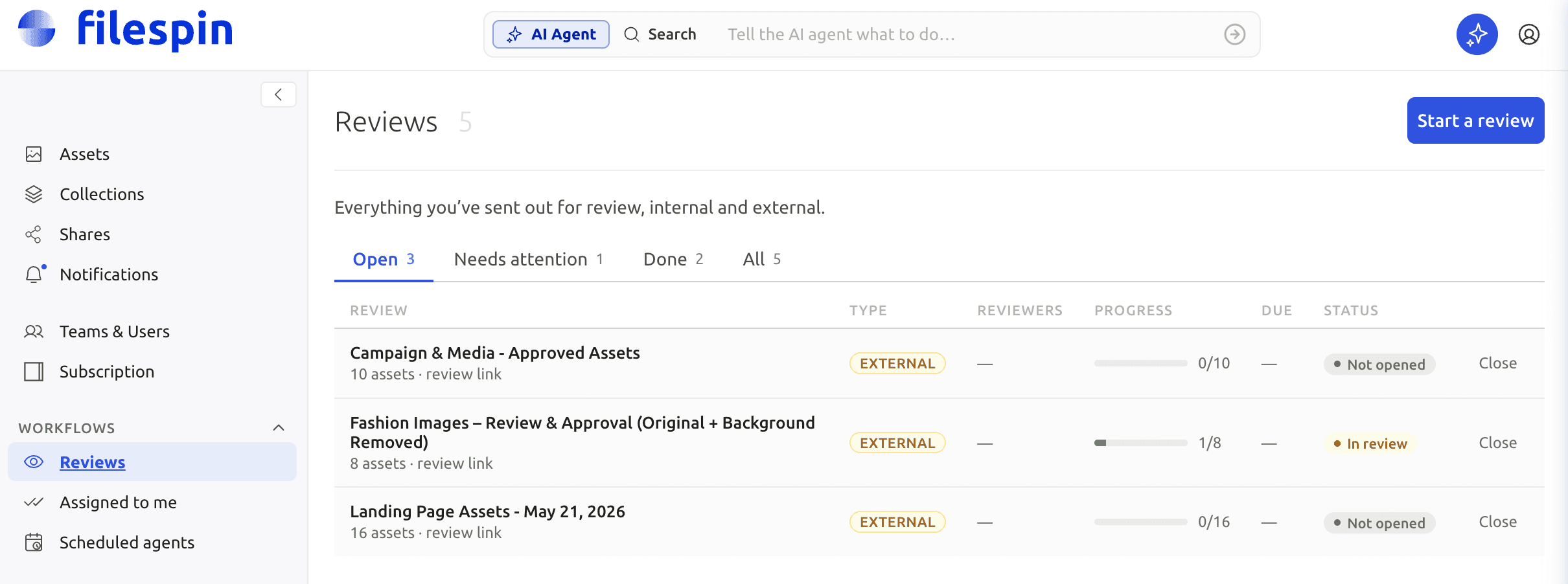
Send an image or clip for internal or external review, collect comments and approve or reject it, with due dates and progress beside the asset.
Bynder’s Asset Workflow covers briefing, production jobs, annotations and approvals.
See a review go from request to sign-off
Watch the review and approval cycle in the FileSpin Dashboard: send an asset for review, collect comments and approve or reject decisions, then follow due dates and progress in Reviews until the work is signed off.
Control access, sharing and your originals
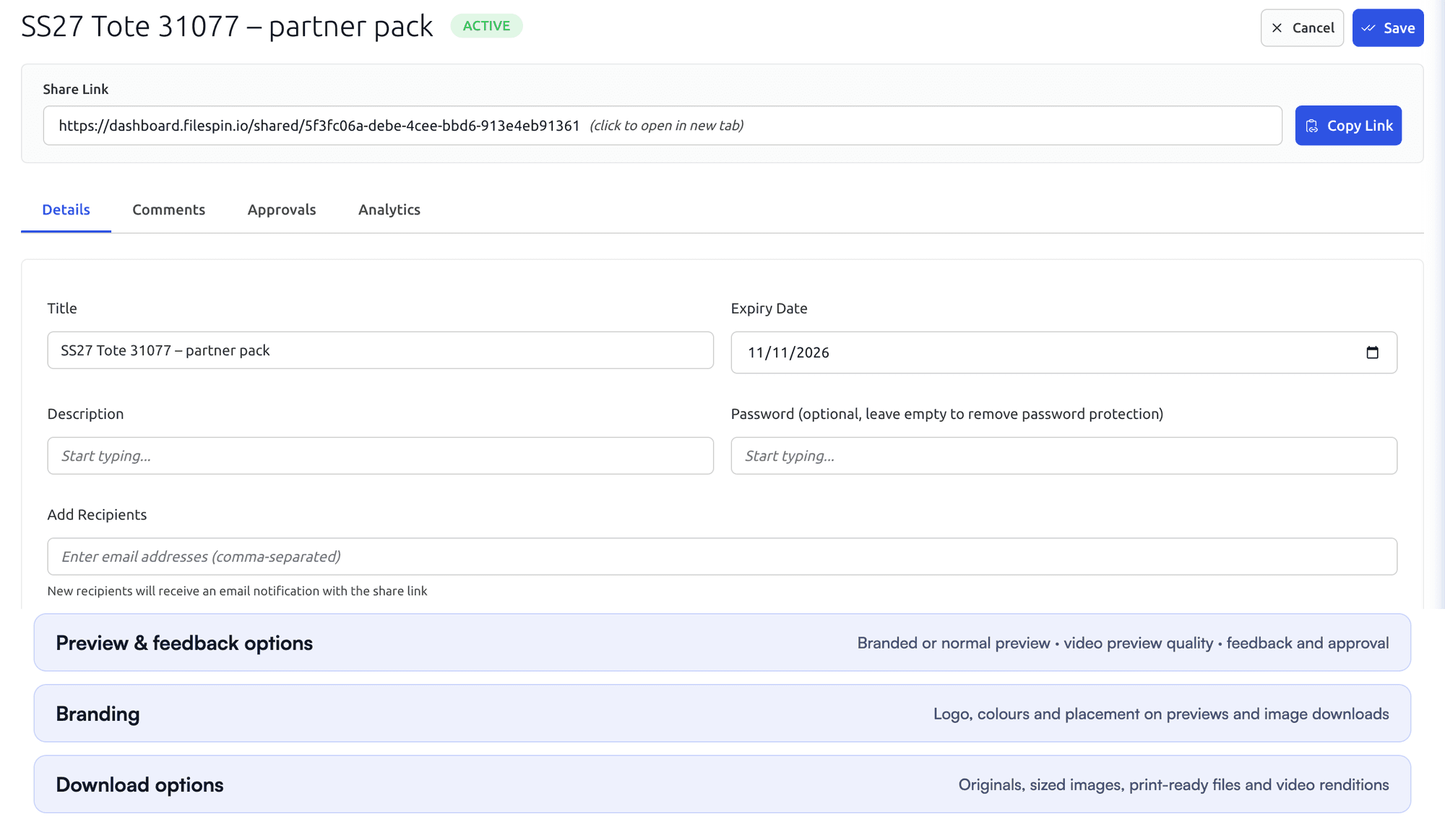
Set team roles, and give each share its own expiry, password, recipients and download options. On Scale and Enterprise, FileSpin can keep originals and renditions in your own AWS S3 bucket.
Bynder provides security profiles, user permissions and rights management.

Automate recurring work and stay in control
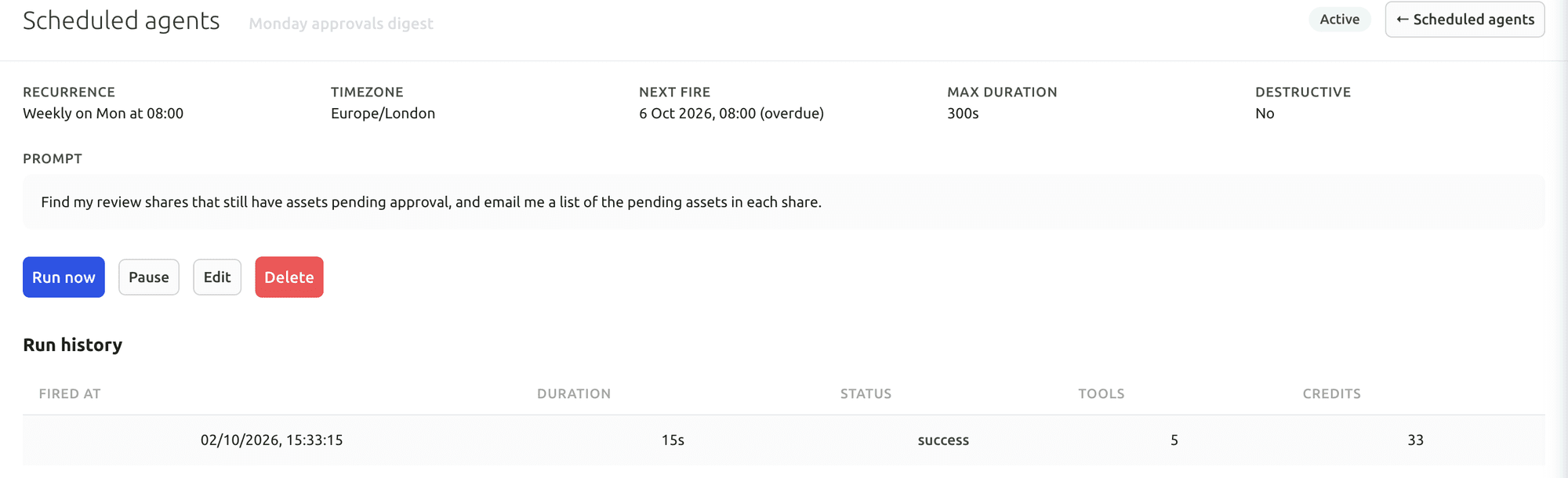
Do day-to-day work from Dashboard menus and APIs. When you want help, ask the AI Agent to find assets, update metadata, prepare images and create shares, or connect Claude or ChatGPT through the MCP Connector. Scheduled Agents run recurring work, such as tagging a collection on a schedule.
Agent activity records every operation, and per-user credit limits keep usage in check. You can undo tagging and metadata changes. The Adobe panel and Make, Zapier and n8n integrations connect FileSpin to the tools you already use.
Bynder offers taxonomy-aware MCP discovery and configurable agents for enrichment, compliance and transformations.
Your first useful task with the Dashboard AI Agent
Give the Dashboard AI Agent a plain-language request, watch it find the assets and carry out the task, then check the result in the library.
Connect Claude or ChatGPT through the MCP Connector
Connect an AI assistant to your FileSpin account, then search assets, update metadata and create shares from the chat, under your own permissions.
Explore the AI Agent and MCP tools →
See delivery, usage and agent activity together
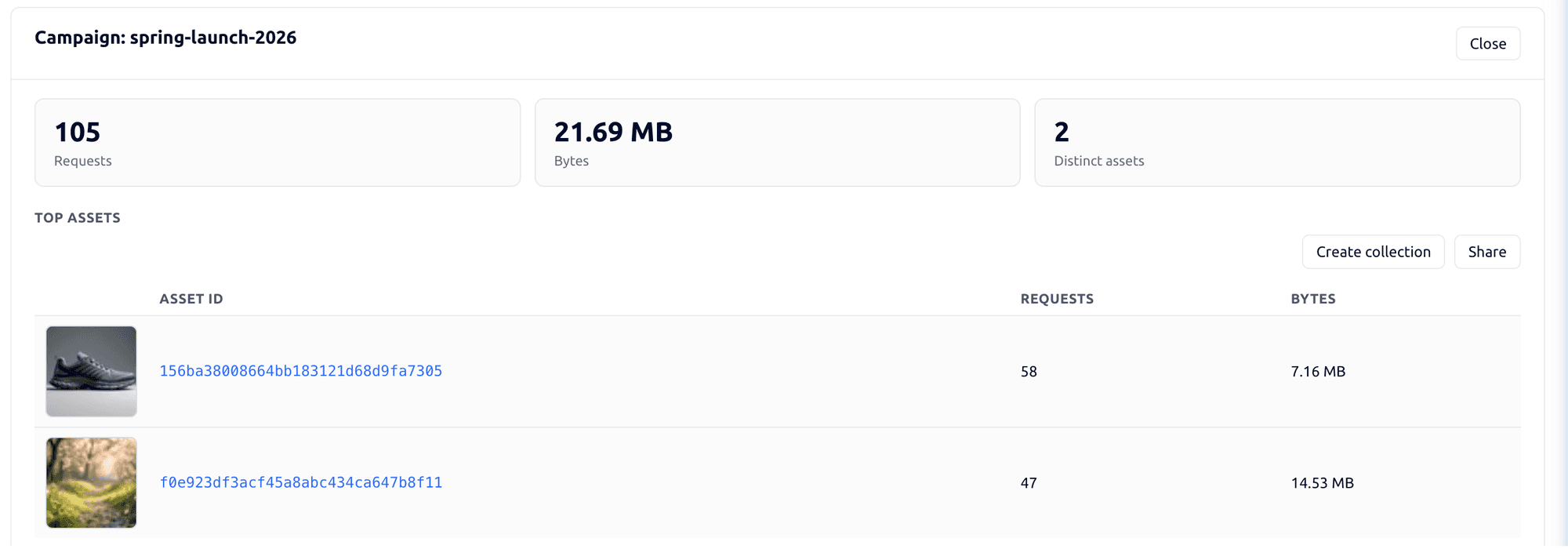
Tag campaign links by channel, placement and audience, then see the requests, bytes and assets delivered under each campaign. Share analytics shows which partner downloaded which file and output. Usage shows storage, API requests, delivery and AI credits by user and period.
Bynder Analytics covers adoption, engagement, content reuse and downloads across its DAM and portals.

Explore the FileSpin platform →
Understand what shapes your FileSpin cost
Bynder quotes a custom package around its DAM and selected modules. FileSpin publishes its plans: Pay as you go from $5 a month, Growth and Scale with included allowances, and Enterprise by agreement. Standard on-demand image outputs don’t count against storage, so more image sizes don’t mean more stored files.
For a useful estimate, bring your number of users, library size, monthly delivery, video workload and required integrations. Include the same work and feature scope in the Bynder quote.
Move from Bynder with the right team behind you
Bynder’s public documentation provides API retrieval and assisted SFTP/S3 export routes. Start with your asset volume and file types, required history, metadata model and connected applications.