Compare FileSpin
FileSpin vs Adobe Experience Manager Assets
Adobe Experience Manager Assets offers enterprise asset governance, Creative Cloud connections and Dynamic Media within the wider Adobe stack. If a defined media team needs to prepare, review and deliver digital media across channels, consider FileSpin.
FileSpin keeps originals, preparation, review and delivery in one library, with campaign and usage insights alongside. Optional AI Agents and Scheduled Agents take on routine work within per-user budgets.
By FileSpin · Updated 15 October 2026
Should you shortlist FileSpin?
Shortlist FileSpin when:
- A defined media team needs its own library for preparing, reviewing and delivering images and video, while AEM Sites and the rest of your Adobe stack stay where they are.
- Designers want to search and place library assets in Photoshop, InDesign and Premiere Pro through the Adobe panel, then send finished work back for review.
- You want review, delivery and usage reporting on the same assets, with an optional AI Agent and MCP tools under per-user budgets.
AEM Assets may fit better when:
- Your organisation already runs AEM Sites or Workfront and wants assets governed on the same Adobe platform.
- You want Dynamic Media delivery and a Content Hub where teams create variations with Adobe Express and Firefly.
What to test before you decide:
- Take one campaign or product line from upload to the outputs each channel needs.
- Have a designer place library assets in InDesign or Photoshop through the Adobe panel, then send the finished file for review.
- Map a sample of AEM metadata schemas, tags and folder rules, and plan how Dynamic Media URLs will change.
FileSpin vs AEM Assets at a glance
AEM Assets details are taken from Adobe’s public product pages and documentation for AEM Assets as a Cloud Service, checked 15 October 2026.
Asset organisation, metadata and search
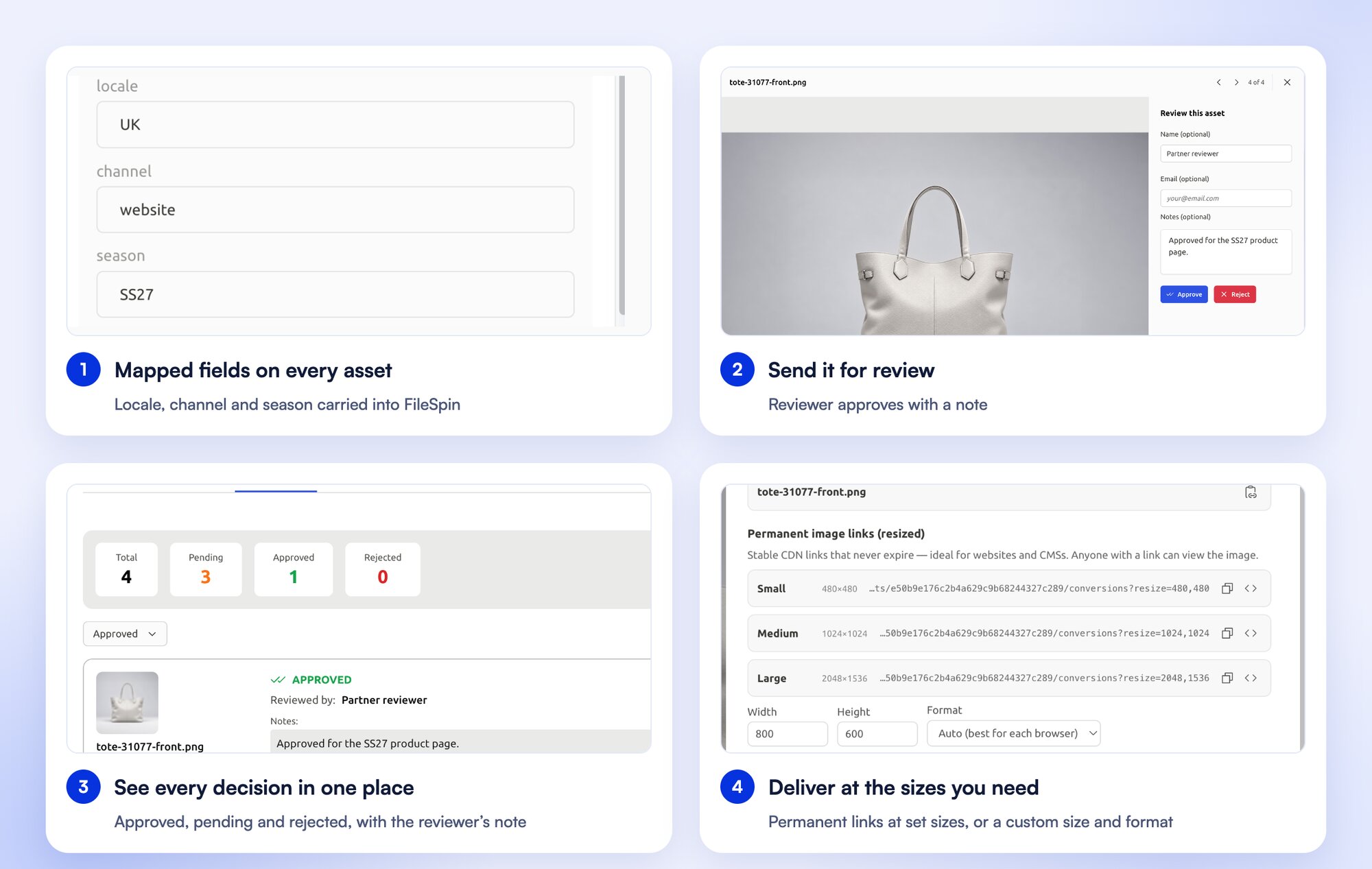
Product images need SKU, colour and season. Event media needs session, speaker and sponsor. FileSpin’s assignable schemas keep both in one library, and search combines keywords, field filters, OCR and face search. Collections group assets for a campaign without duplicating originals.
AEM Assets supports custom metadata schema forms applied by folder, with standard tags and Smart Tags to support search.
Dynamic Media, image transformations and video
Turn one product photograph into a catalogue card, a detail view and a campaign banner through URL transformations, while the original stays in your library. Background removal, ghost mannequin and saved AI edit sequences prepare catalogue images before review, and recordings become SD and HD versions, adaptive HLS streams, clips and storyboards.
Dynamic Media with OpenAPI, licensed alongside AEM Assets, delivers approved assets with URL image modifiers and HLS or DASH adaptive video.

Prepare product photos for your storefront
Clean up product photos with background removal, then create the sizes and formats your storefront needs from the same original.
Creative workflows, review and governance
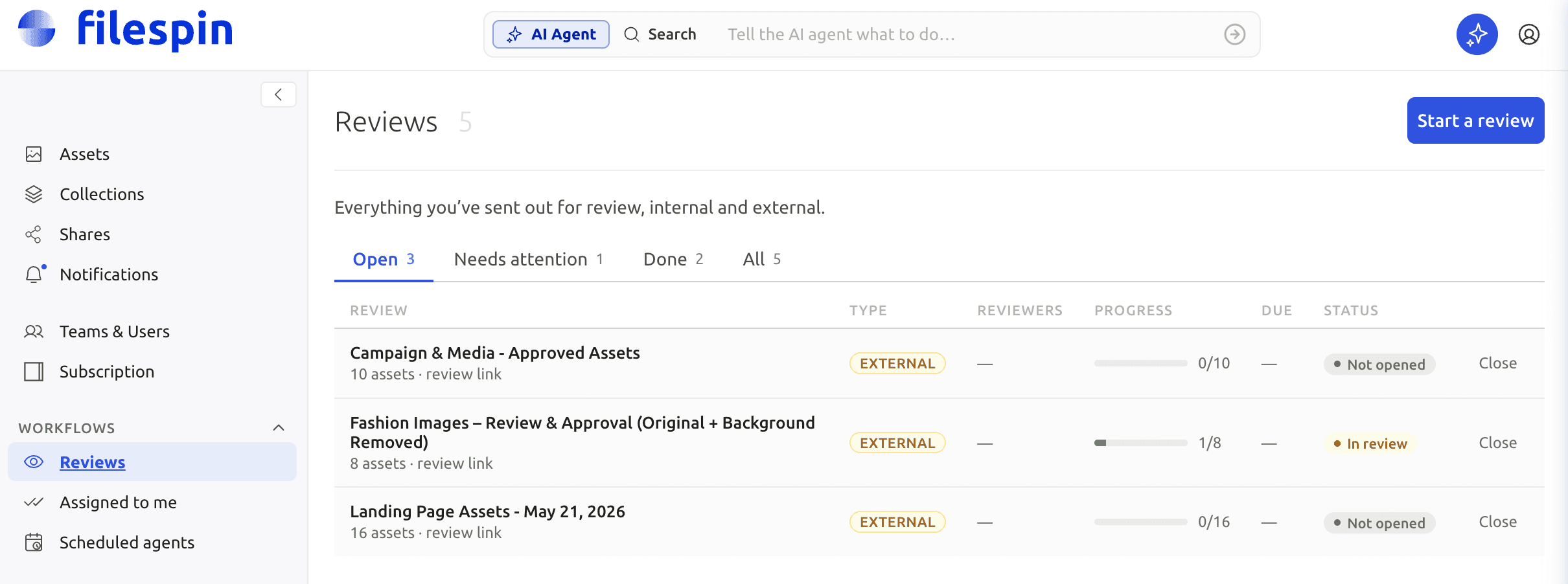
Send an image or clip for internal or external review, collect comments and approve or reject it, with due dates and progress beside theasset. FileSpin’s Adobe panel brings the library into Photoshop, InDesign and Premiere Pro, so designers place assets and send finished work back without leaving their tools.
Adobe Asset Link connects Photoshop, InDesign and other Creative Cloud apps to AEM Assets, and Content Hub helps teams find approved assets and create variations in Adobe Express.
The asset library inside Adobe Creative Cloud
Search the FileSpin library from the Adobe panel, place assets in your design and send finished work back to FileSpin.
Control access, sharing and your originals
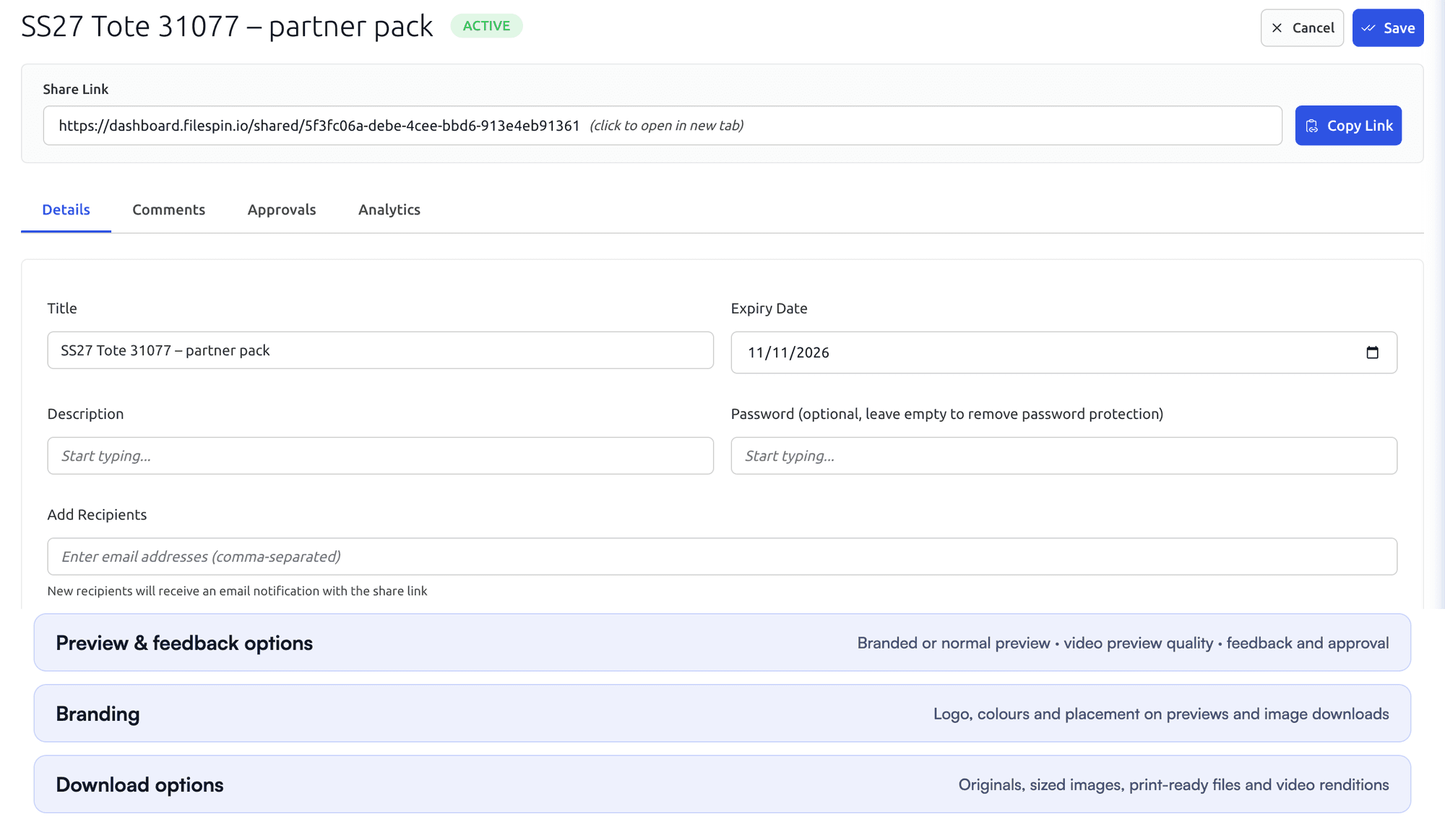
Set team roles, and give each share its own expiry, password, recipients and download options. On Scale and Enterprise, FileSpin can keep originals and renditions in your own AWS S3 bucket.
AEM Assets controls access through user groups and permissions, and supports link sharing of assets.

Automate recurring work and stay in control
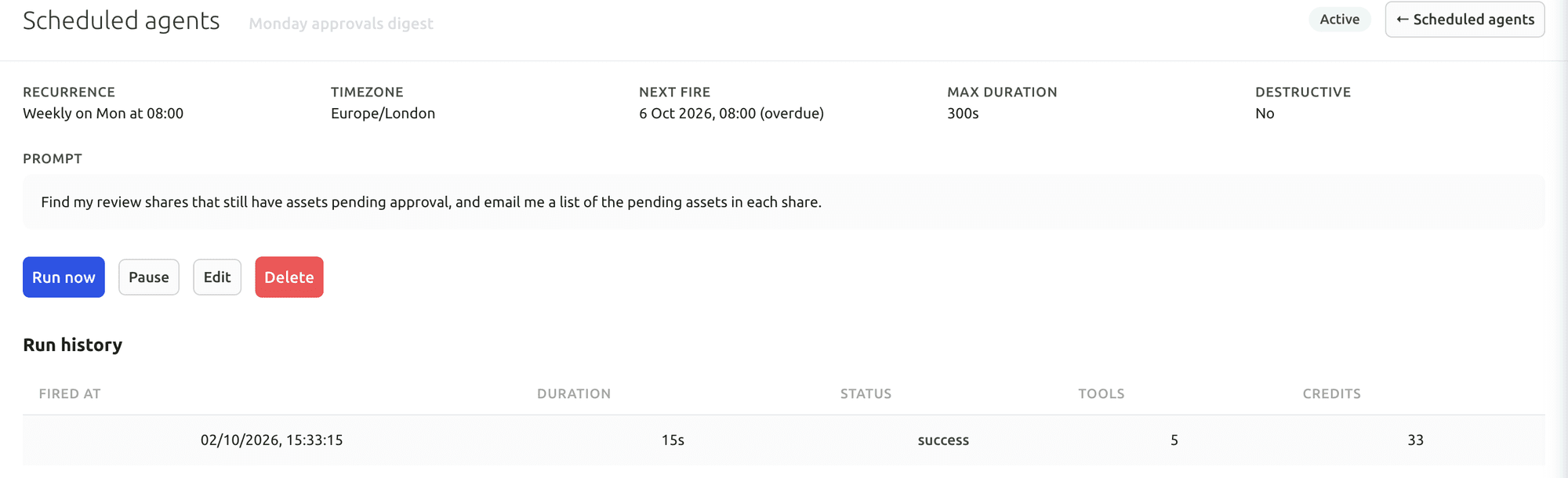
Do day-to-day work from Dashboard menus and APIs. When you want help, ask the AI Agent to find assets, update metadata, prepare images and create shares, or connect Claude or ChatGPT through the MCP Connector. Scheduled Agents run recurring work, such as tagging a collection on a schedule.
Agent activity records every operation, and per-user credit limits keep usage in check. You can undo tagging and metadata changes. The Adobe panel and Make, Zapier and n8n integrations connect FileSpin to the tools you already use.
Adobe offers Content Advisor Agent for conversational asset discovery, Smart Tags for automatic tagging and Firefly-assisted variations in Content Hub.
Your first useful task with the Dashboard AI Agent
Give the Dashboard AI Agent a plain-language request, watch it find the assets and carry out the task, then check the result in the library.
Connect Claude or ChatGPT through the MCP Connector
Connect an AI assistant to your FileSpin account, then search assets, update metadata and create shares from the chat, under your own permissions.
Explore the AI Agent and MCP tools →
Connect campaign delivery with operational insights
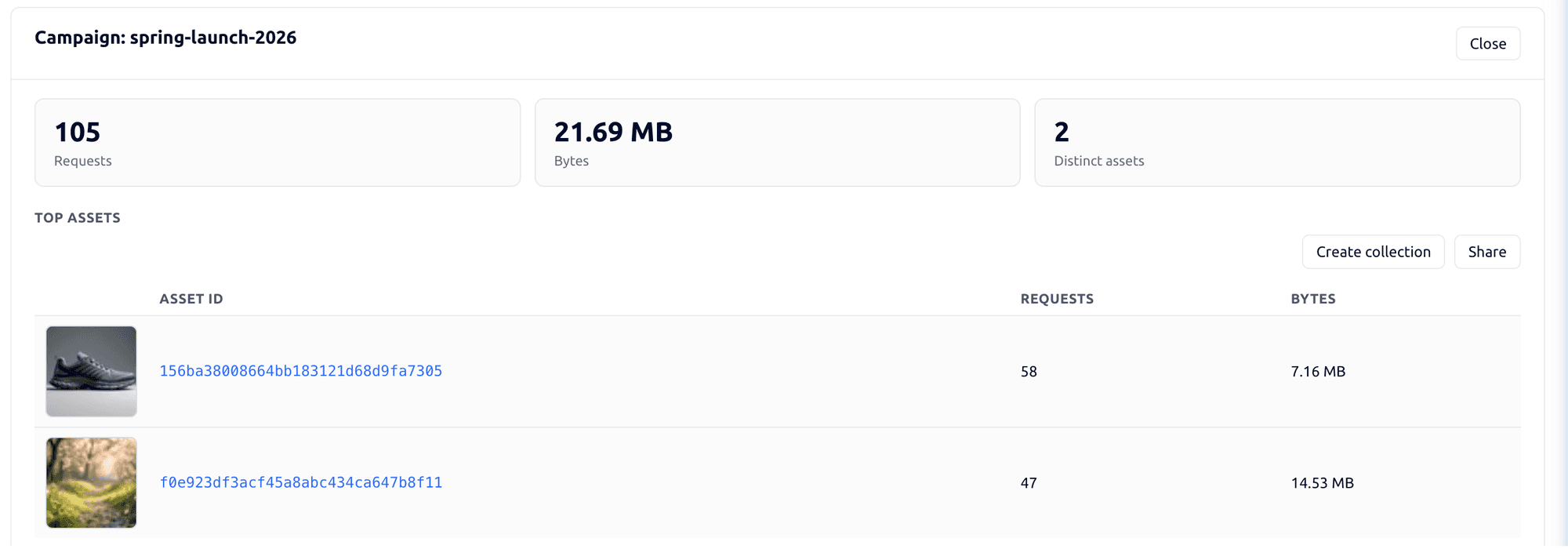
Tag campaign links by channel, placement and audience, then see the requests, bytes and assets delivered under each campaign. Share analytics shows which partner downloaded which file and output. Usage shows storage, API requests, delivery and AI credits by user and period.
AEM Assets reports uploads, downloads and Dynamic Media delivery, and Assets Insights uses Adobe Analytics to show image usage and performance.

Explore the FileSpin platform →
Licensing, implementation and ongoing costs
Adobe licenses AEM Assets as Prime or Ultimate packages, priced on request, with Dynamic Media and related services licensed alongside it.
FileSpin publishes its subscription pricing, covering contributors, storage, image and video processing, delivery and the AI usage you choose. Customer-owned S3 storage is available on Scale and Enterprise, and Teleport on Enterprise.
Move from AEM Assets with the right team behind you
AEM metadata schemas, namespaces, tags and folder rules map to FileSpin schemas and collections, a source-path-to-FileSpin-ID map keeps your application references resolving, and Dynamic Media URLs are mapped to FileSpin delivery links before cutover.
Inventory metadata property mappings, folder rules, original files, renditions and application references. Treat Dynamic Media/Scene7 URLs, AEM Sites content, Content Hub experiences, Workfront processes and custom workflow code as separate migration work, and switch one media route first. Identify creative projects and site dependencies that should remain in Adobe.
Migration starts with a representative collection: originals and metadata are exported, fields and relationships mapped, and the import checked for search, review, permissions and delivery. Old-to-new asset IDs and URLs are recorded so every application reference moves cleanly, and the source stays available until you sign off.
Confirm the AEM deployment and approved API authentication first. Adobe’s export guidance uses Assets HTTP API folder/asset traversal and downloads original renditions. That original-file export does not carry the complete repository metadata record. Export metadata separately, including property names, types and multi-value fields, and join it to binaries by stable source path or identifier. Record required versions and renditions before extraction.