Compare FileSpin
Build your product. Let FileSpin run the media pipeline.
A custom media stack gives your engineers full control over how storage, processing and delivery fit together. If that pipeline now has to serve content teams with search, review and channel outputs, consider FileSpin.
FileSpin keeps originals, preparation, review and delivery in one maintained library, with APIs for your application. Optional AI Agents and Scheduled Agents take on routine work within per-user budgets.
By FileSpin · Updated 15 October 2026
Should you shortlist FileSpin?
Shortlist FileSpin when:
- Your engineers should spend their time on the product, not on maintaining processors, queues and operator tools.
- Content teams need schemas, search, reviews and Share Pages now, without waiting for an internal interface to be built.
- You want APIs, webhooks and delivery URLs for your application, with the platform run and maintained by FileSpin.
Building in-house may fit better when:
- Your media requirement is narrow and stable, such as a small set of predictable transformations your team already runs.
- Your processing is strategically distinctive, and you can fund its implementation, maintenance, monitoring and incident response.
What to test before you decide:
- Take one representative workflow from upload through review to the outputs your application needs.
- Connect a test application through the APIs and delivery URLs, then replace one asset and follow the change through.
- Fill in the cost worksheet below with a year of your own infrastructure, engineering and support figures.
Compare what your team will own.
What your team gets on day one
Processing jobs, approvals, delivery links and replacements are already built, so a new channel output goes from preparation to approval and delivery without anyone writing the tooling. Schemas define the fields and search settings for each kind of asset, such as SKU and market for product media or session and speaker for event content.
A custom stack can implement the metadata model and tools your team designs, and your team maintains them as requirements change.

Build an approved campaign asset pack
Gather campaign assets into a collection, get them approved and hand the finished pack to the people who need it.
Explore media preparation and delivery →
Automate recurring work and stay in control
Do day-to-day work from Dashboard menus and APIs. When you want help, ask the AI Agent to find assets, update metadata, prepare images and create shares, or connect Claude or ChatGPT through the MCP Connector. Scheduled Agents run recurring work, such as tagging a collection on a schedule.
Agent activity records every operation, and per-user credit limits keep usage in check. You can undo tagging and metadata changes. The Adobe panel and Make, Zapier and n8n integrations connect FileSpin to the tools you already use.
In a custom stack, your team chooses the model, tool scope and checks, and maintains the integration.
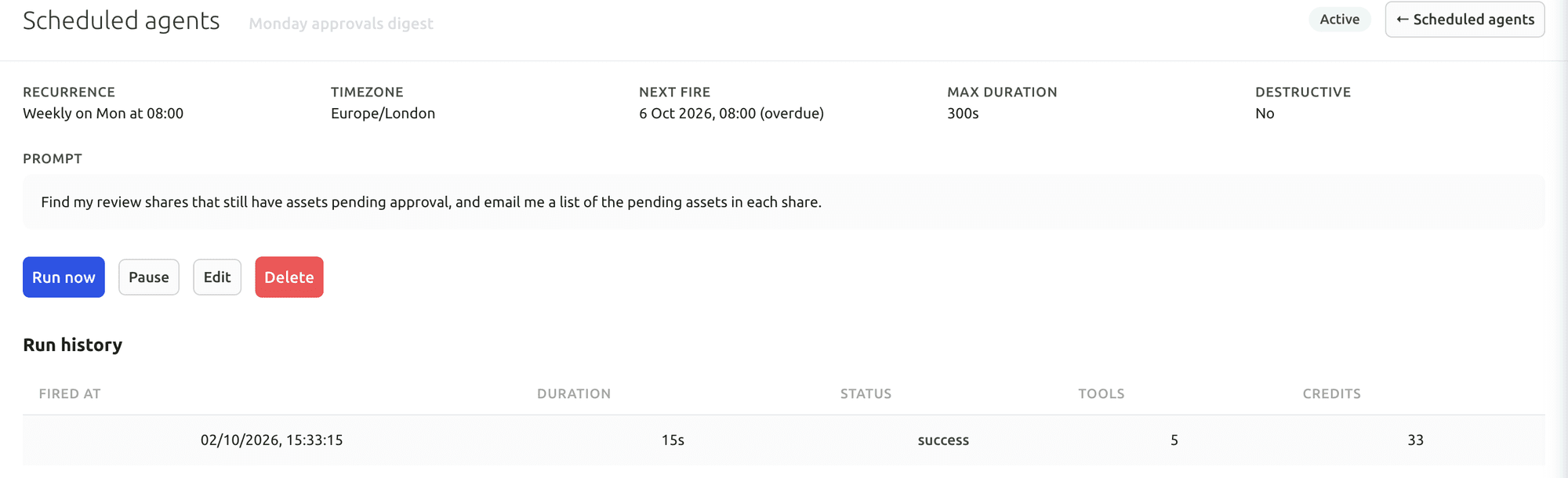
Your first useful task with the Dashboard AI Agent
Give the Dashboard AI Agent a plain-language request, watch it find the assets and carry out the task, then check the result in the library.
Connect Claude or ChatGPT through the MCP Connector
Connect an AI assistant to your FileSpin account, then search assets, update metadata and create shares from the chat, under your own permissions.
Explore the AI Agent and MCP tools →
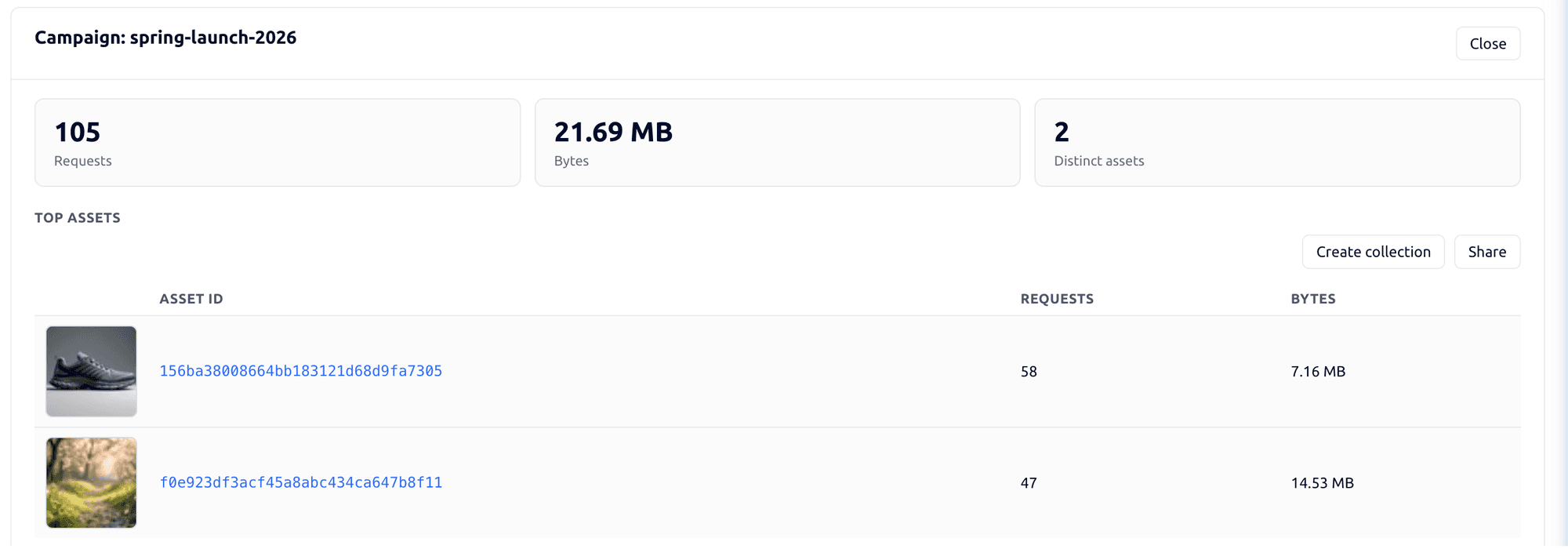
Connect campaign delivery with operational insights
Tag campaign links by channel, placement and audience, then see the requests, bytes and assets delivered under each campaign. Share analytics shows which partner downloaded which file and output. Usage shows storage, API requests, delivery and credits by user and period.
In a custom stack, this reporting is something your team builds and maintains.

Explore the FileSpin platform →
Find your crossover point.
Compare the engineering time spent operating the media stack with the product work that team could deliver instead.
- List recent changes to formats, channels and permissions.
- Include recurring maintenance and support in the estimate.
- Choose one representative workflow and compare complete effort.
Compare a year of operation
Add one-off implementation and migration costs to twelve months of infrastructure or plan usage, maintenance and support.
Move your media with the right team behind you
Originals come across from your object store with their keys and selected versions, application metadata maps to FileSpin records, and an old-to-new ID map keeps your business records pointing at the right media.
Map application IDs, object keys, product links, metadata types and selected versions into FileSpin records. Preserve the old-to-new ID map in the integration so business records continue to resolve the intended media.
Start with the actual object store, metadata database and delivery configuration. For an S3-backed stack, ListObjectsV2 inventories current object keys and GetObject retrieves authorised originals; use the versions API separately when history is required. Export application metadata and relationships from the database with the object key and version references needed to join them. Other stores require their equivalent authenticated list and retrieval operations.
Amazon S3 details are taken from AWS’s public documentation, checked 15 October 2026.