Compare FileSpin
FileSpin vs Cloudinary
Cloudinary combines powerful media APIs, transformations and digital asset management for developers. If content teams and developers share your media work, from structured records to review and delivery, consider FileSpin.
FileSpin keeps originals, image and video preparation, review and delivery in one library, and standard on-demand image sizes don’t count against storage. Optional AI Agents and Scheduled Agents take on routine work within per-user budgets.
By FileSpin · Updated 15 October 2026
Should you shortlist FileSpin?
Shortlist FileSpin when:
- Content teams and developers share the media work, and you want structured asset records, review and delivery in one library.
- You deliver many sizes of each product image and want standard on-demand outputs kept out of storage quota.
- You want to work from the Dashboard and APIs, with an optional AI Agent and MCP tools under per-user budgets.
Cloudinary may fit better when:
- Your application composes images in the delivery URL, with layers, text overlays and conditional transformations.
- Most of your video is short clips transformed on demand, inside a developer platform with SDKs for many frameworks.
What to test before you decide:
- Take one product line from upload to the card, detail and banner sizes each channel needs.
- Check a sample of your Cloudinary image URLs, transformations included, through FileSpin before switching traffic.
- Run a review with an external approver, then share the approved files.
FileSpin vs Cloudinary at a glance
Cloudinary details are taken from Cloudinary’s public product pages and documentation, checked 15 October 2026.
FileSpin vs Cloudinary pricing
A product photograph may be delivered as a thumbnail, a detail image and a campaign banner. FileSpin does not count standard on-demand image outputs against storage quota; originals and pre-generated Custom Image Conversions count separately. FileSpin publishes its plans: Pay as you go from $5 a month, Growth and Scale with included allowances, and Enterprise by agreement.
Cloudinary’s self-service API plans draw storage, transformations and bandwidth from one monthly credit allowance, so an additional image size can affect more than delivery usage.
For a catalogue launch, count the originals you retain, the new sizes you generate and the bytes you deliver. Repeated delivery of an existing Cloudinary derivative doesn’t use another transformation.
Image transformations, optimisation and delivery
Turn one product photograph into a padded product card with ?resize=600,600,fill:white and a campaign banner with ?crop=1200,628,center, while the original stays in your library. FileSpin serves AVIF or WebP to compatible browsers, and background removal, ghost mannequin and saved AI edit sequences prepare images before review.
Cloudinary’s transformation model adds dynamic layers, text overlays and conditional operations, a strong fit for applications that compose images in the delivery URL.

Prepare product photos for your storefront
Clean up product photos with background removal, then create the sizes and formats your storefront needs from the same original.
Digital asset management: metadata and search
A product image needs SKU, category and season; event photography needs speaker, session and sponsor. FileSpin’s reusable schemas, starting from industry presets, give each kind of asset its own fields, validation and search settings, and collections group assets for a campaign without relying on folders. Consistent values help people find the intended asset and give the AI Agent business context.
Cloudinary defines structured fields across a product environment, with validation and conditional field rules.


Find the right asset, download and deliver the format needed
Search by product, campaign or brand, check the asset’s status in its metadata, then download the format you need or send it as a share page.
Review and approval
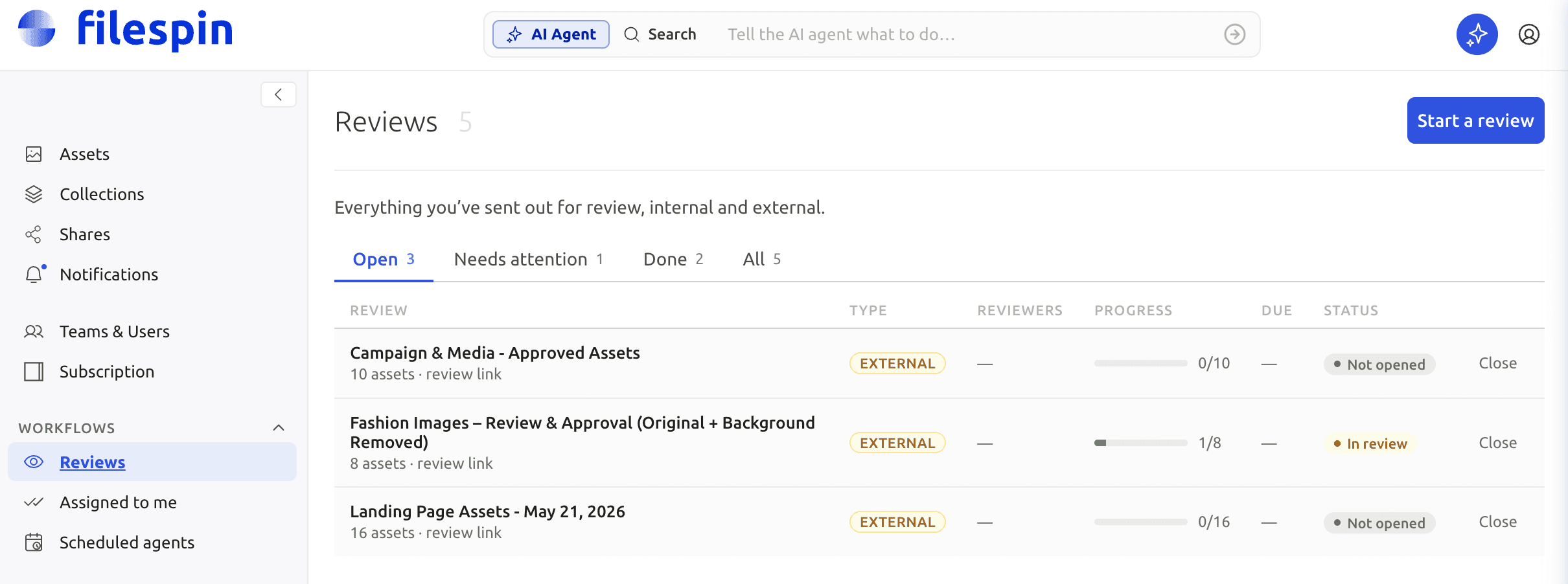
Send an image or clip for internal or external review, collect comments and approve or reject it, with due dates, progress and notifications beside the asset’s metadata and versions. Assigned tasks show colleagues what needs their approval, comments or changes.
Cloudinary’s Creative Approval supports staged reviews with roles and external reviewers, as a paid add-on for Assets Enterprise.
Video processing and streaming
Process longer recordings asynchronously into SD and HD renditions and adaptive HLS streams, so the finished outputs are ready before viewers press play. Clips, storyboards, metadata and review stay with the original.
Cloudinary suits short clips transformed on demand through delivery URLs, and also supports eager processing and adaptive streaming.

Explore video library publishing →
Control access, sharing and your originals
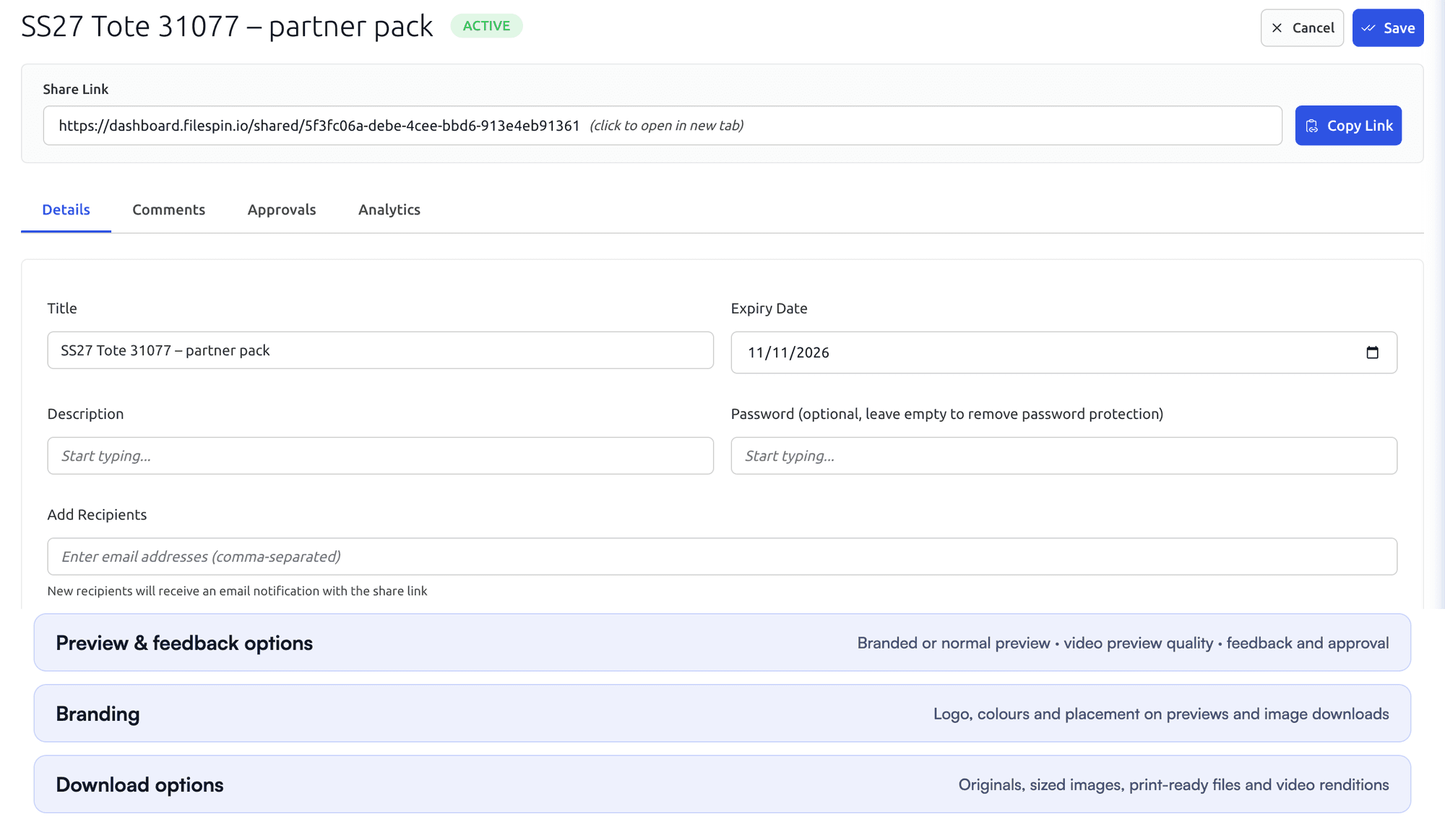
Set team roles and API-key or JWT access, and give each share its own expiry, password, recipients and download options. APIs, webhooks and Make, Zapier and n8n integrations connect uploads, metadata and delivery to your applications. On Scale and Enterprise, FileSpin can keep originals and renditions in your own AWS S3 bucket.
Cloudinary Enterprise can also keep originals in customer-owned cloud storage, and paid plans can back up to your own bucket.

Automate recurring work and stay in control
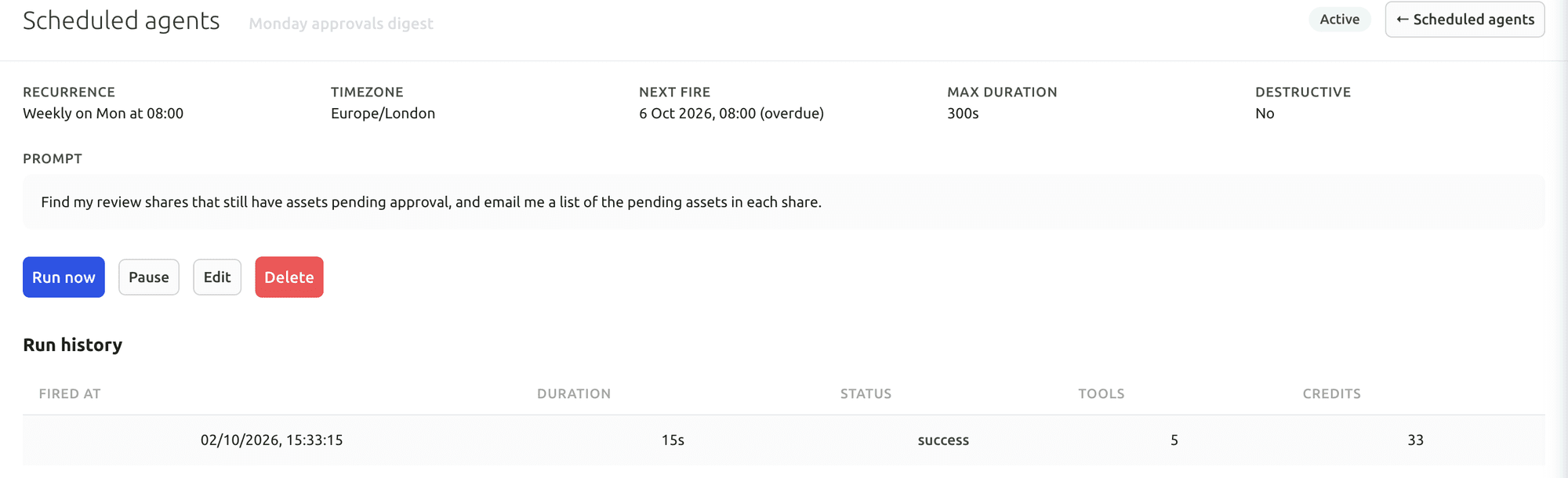
Do day-to-day work from Dashboard menus and APIs. When you want help, ask the AI Agent to find assets, update metadata, prepare images and create shares, or connect Claude or ChatGPT through the MCP Connector. Scheduled Agents run recurring work, such as tagging a collection on a schedule.
Agent activity records every operation, and per-user credit limits keep usage in check. You can undo tagging and metadata changes.
Cloudinary offers MCP servers for asset management, metadata and configuration, and console AI agents in beta for Assets Enterprise.
Your first useful task with the Dashboard AI Agent
Give the Dashboard AI Agent a plain-language request, watch it find the assets and carry out the task, then check the result in the library.
Connect Claude or ChatGPT through the MCP Connector
Connect an AI assistant to your FileSpin account, then search assets, update metadata and create shares from the chat, under your own permissions.
Explore the AI Agent and MCP tools →
Connect campaign delivery with operational insights
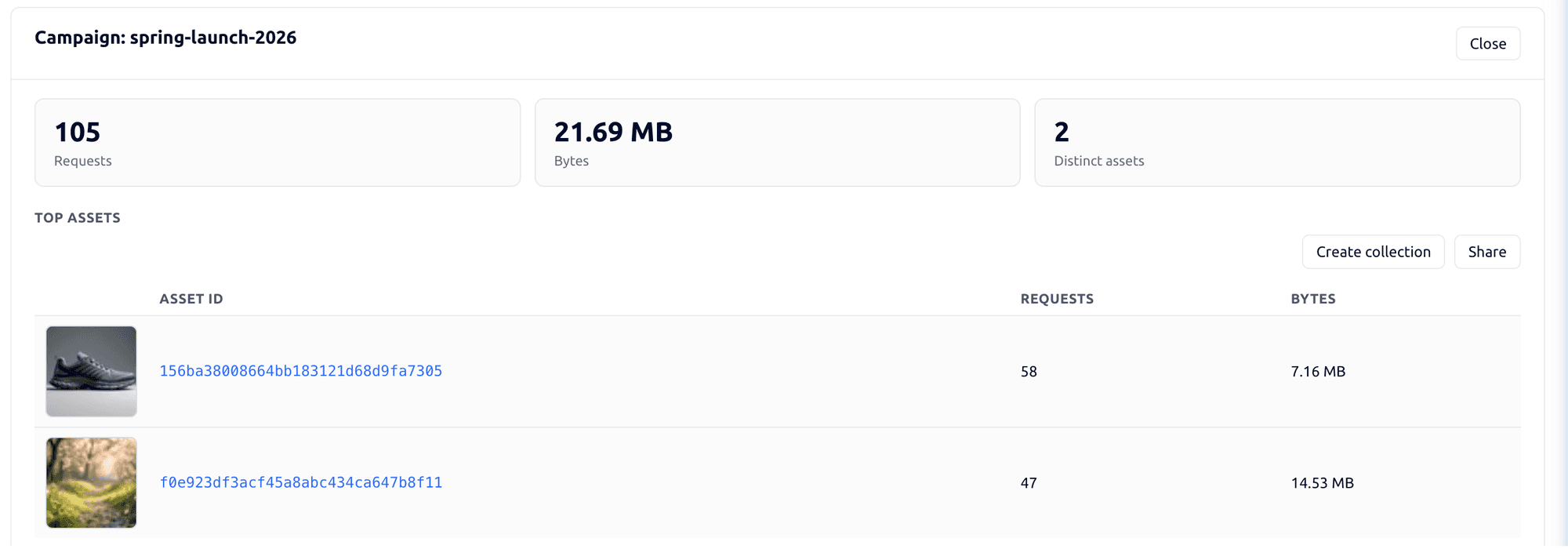
Tag campaign links by channel, placement and audience, then see the requests, bytes and assets delivered under each campaign. Share analytics shows which partner downloaded which file and output. Usage shows storage, API requests, delivery and AI credits by user and period.
Cloudinary’s console reports cover usage, delivery and errors, with error reports on Advanced plans and above.

Explore the FileSpin platform →
Keep your image URLs when you switch
Migrate images from Cloudinary to FileSpin
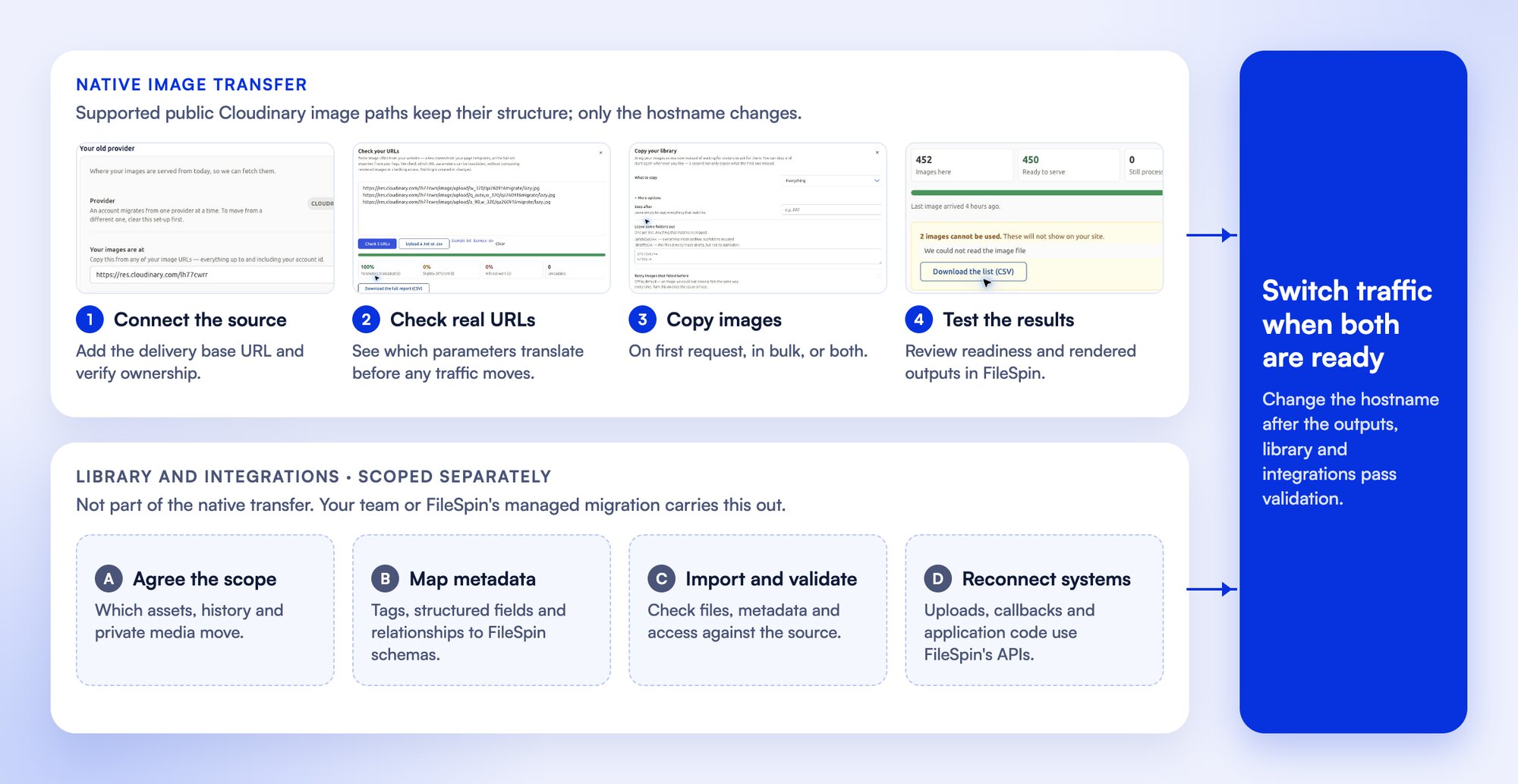
Connect your Cloudinary source, verify ownership and check representative image URLs, then copy images across on demand or in bulk before switching traffic.
Point your delivery hostname at FileSpin and supported public Cloudinary image URLs keep working, transformation parameters included. Images copy across the first time each one is requested, in bulk, or both, and you test FileSpin’s output in parallel before switching traffic.
Uploads, metadata, access rules and callbacks move as part of the planned migration, alongside the delivery switch.
Transfer private files through an authorised export and configure FileSpin delivery access separately. Map tags, structured metadata and retained history as part of the library migration.
The native transfer moves your images; managed or assisted migration moves the rest of the library.