Compare FileSpin
FileSpin vs Frontify
Frontify brings brand guidelines, templates and digital assets together in one brand platform. If your team needs to prepare, review and deliver images and video across channels, consider FileSpin.
FileSpin keeps originals, preparation, review and delivery in one library, with campaign and usage insights alongside. Optional AI Agents and Scheduled Agents take on routine work within per-user budgets.
By FileSpin · Updated 15 October 2026
Should you shortlist FileSpin?
Shortlist FileSpin when:
- Your team prepares product, campaign or event media for many channels, and you want sizes, formats, background removal, print files and video outputs created from the same library.
- You want review, delivery and usage reporting on the same assets, while your brand guidelines stay where they are.
- You want to work from the Dashboard and APIs, with an optional AI Agent and MCP tools under per-user budgets.
Frontify may fit better when:
- Brand guidelines and brand management are the centre of your requirements, and you want guidelines, templates and assets in one brand platform.
- You want teams across the organisation to create on-brand content from templates, with analytics on brand adoption and guideline use.
What to test before you decide:
- Take one campaign from upload to the web sizes, print files and video outputs each channel needs.
- Run a review with an external approver, then share the approved files.
- Export a sample of your Frontify libraries and custom metadata, and list the guidelines and embeds that use those assets.
FileSpin vs Frontify at a glance
Frontify details are taken from Frontify’s public product pages and documentation, checked 15 October 2026.
Brand guidelines and asset management
Keep your guidelines and templates where they are and point them at FileSpin delivery links, so the assets they show come from the approved library. Collections, reviews and Branded Share Pages handle the asset work behind them.
Frontify puts brand guidelines, templates and the asset library in one platform, which helps many teams apply a brand consistently.
Explore the FileSpin platform →
Metadata, search and library organisation
Product images need SKU, season and market; event media needs session and speaker. FileSpin’s assignable schemas keep both in one library, and search combines keywords, field filters, OCR and face search. Collections group campaign assets without duplicating originals.
Frontify admins can apply default and custom metadata to each upload batch, and AI tags assets as they arrive.
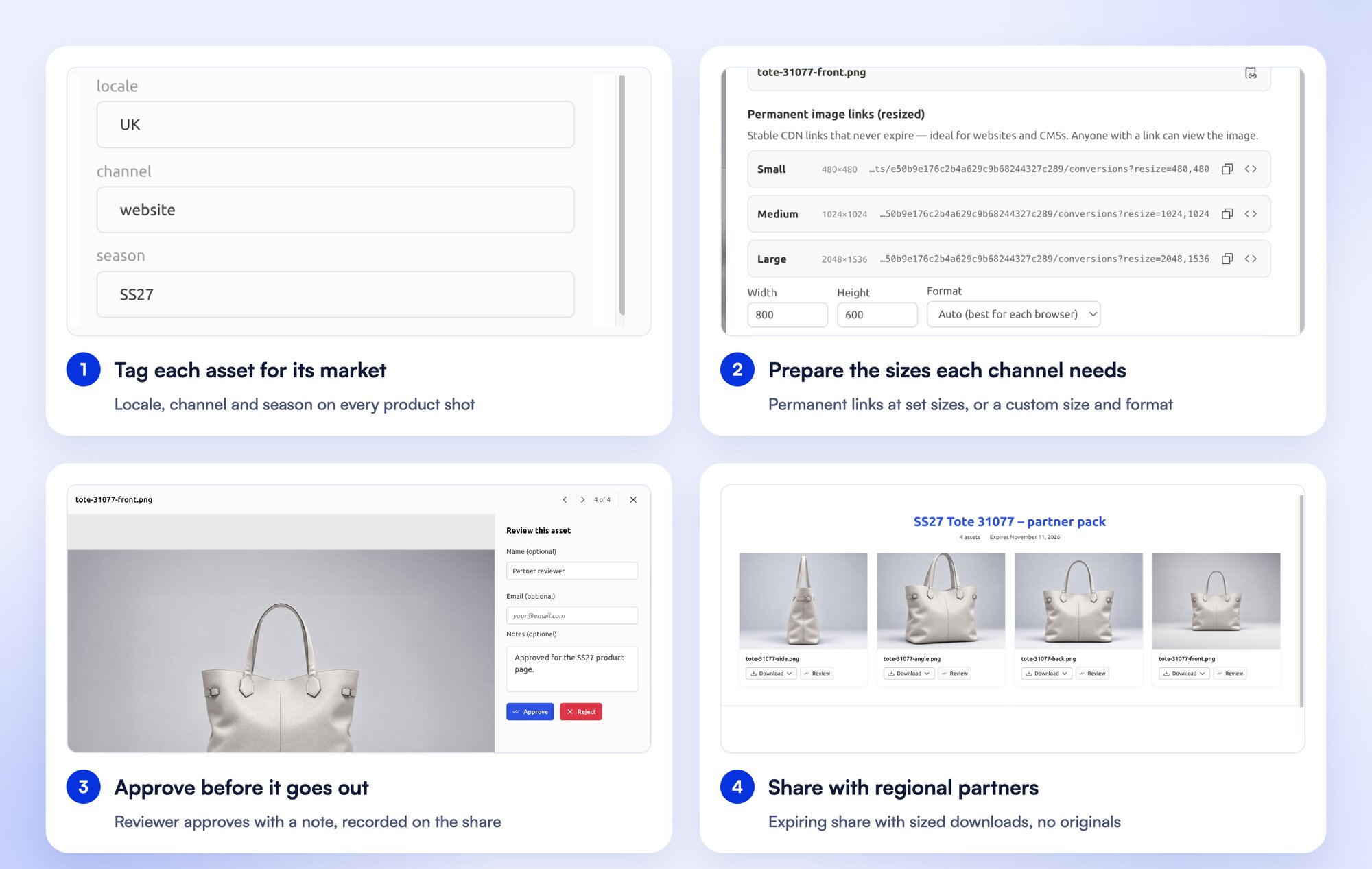
Image and video preparation and delivery
Turn one product photograph into a catalogue card, a detail view and a campaign banner through URL transformations, while the original stays in your library. Background removal and ghost mannequin prepare product images, the Print Export add‑on creates CMYK print files, and recordings become HLS streams, clips and storyboards.
Frontify converts, resizes and crops single images at download, and offers a separate Media Processing API.
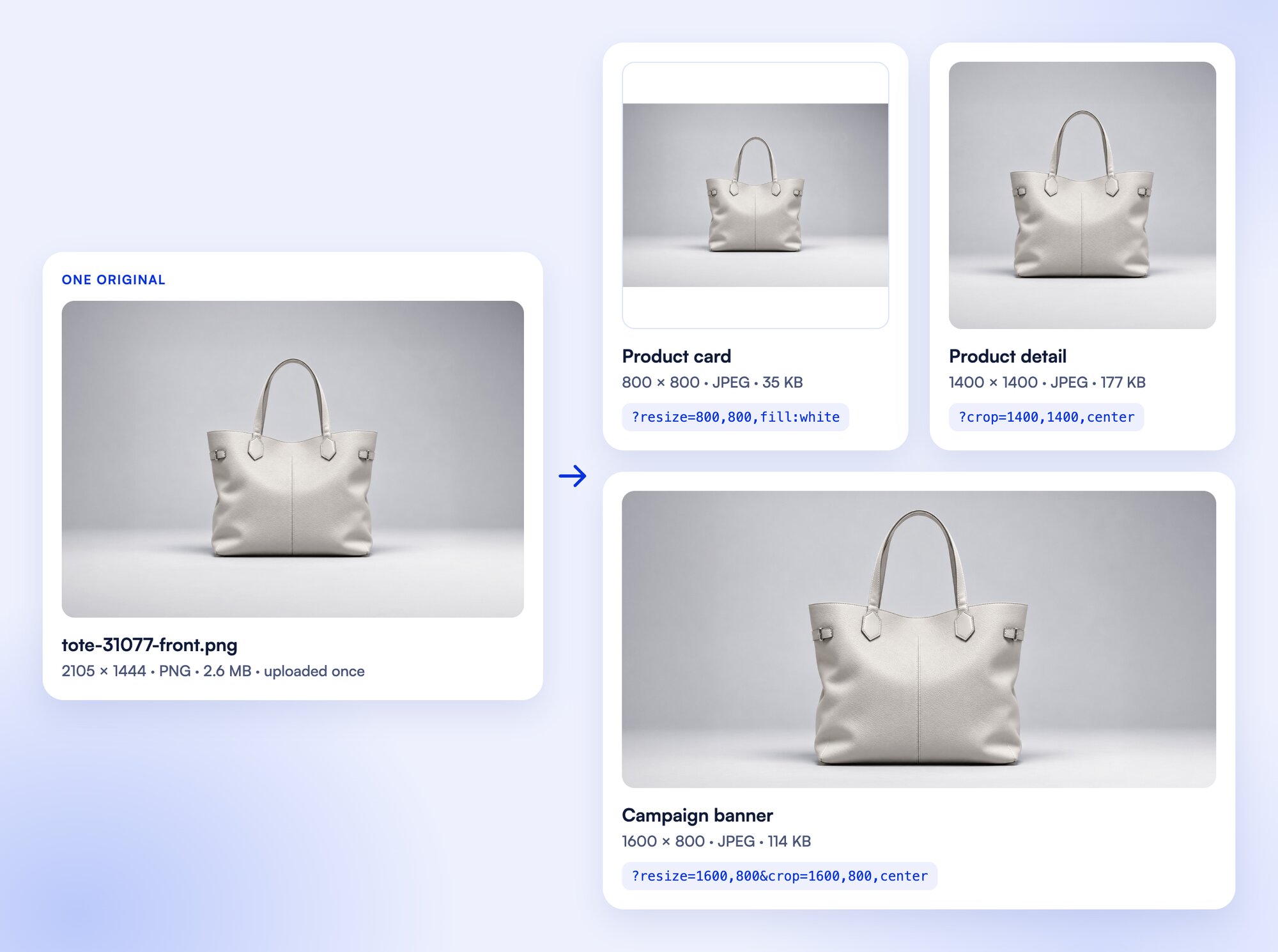
Prepare product photos for your storefront
Clean up product photos with background removal, then create the sizes and formats your storefront needs from the same original.
Send print-ready files and reuse your share settings
Prepare print-ready files from the library, send them on a print share and save the share settings to reuse for the next handoff.
Templates, collaboration and review
Send an image or clip for internal or external review, collect comments and approve or reject it, with due dates and progress beside the asset. Share templates set up branded share pages in one step.
Frontify template publications can require approval before export, and projects have their own feedback and approval process.
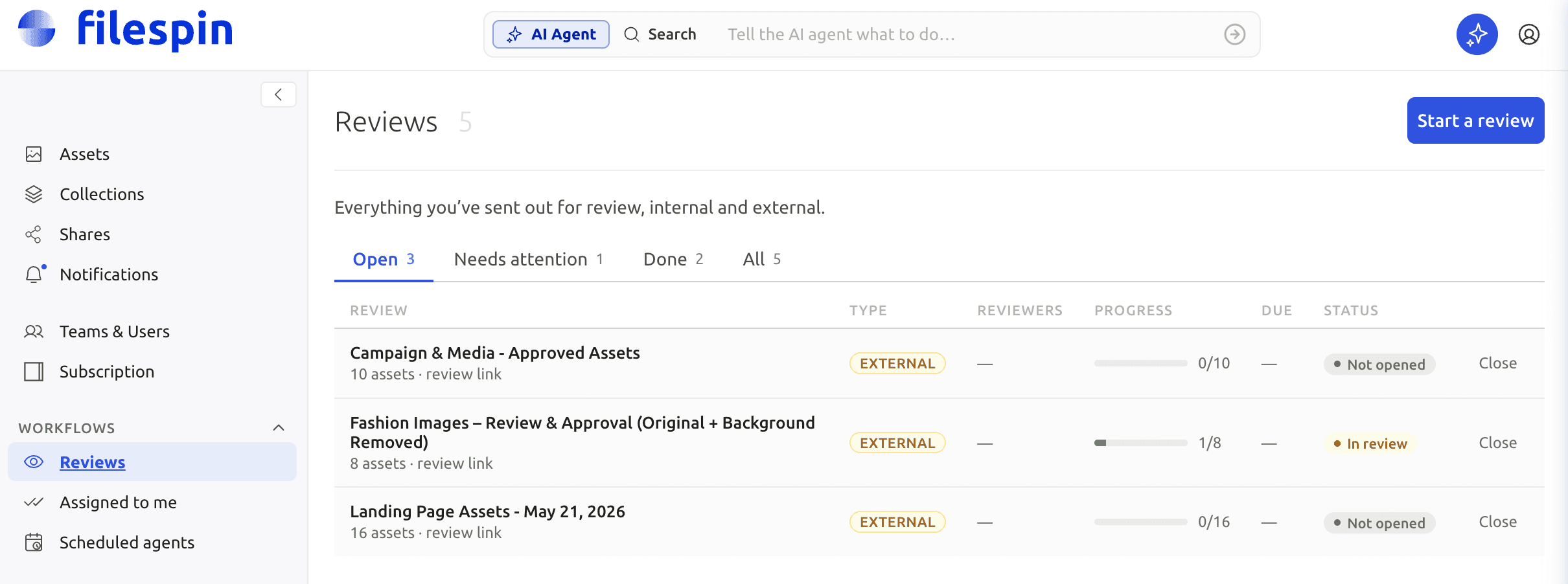
Control access, sharing and your originals
Give each share its own expiry, password, recipients and download options, then check the page recipients receive. On Scale and Enterprise, FileSpin can keep originals and renditions in your own AWS S3 bucket.
Frontify permissions control who can access, download or share each asset.
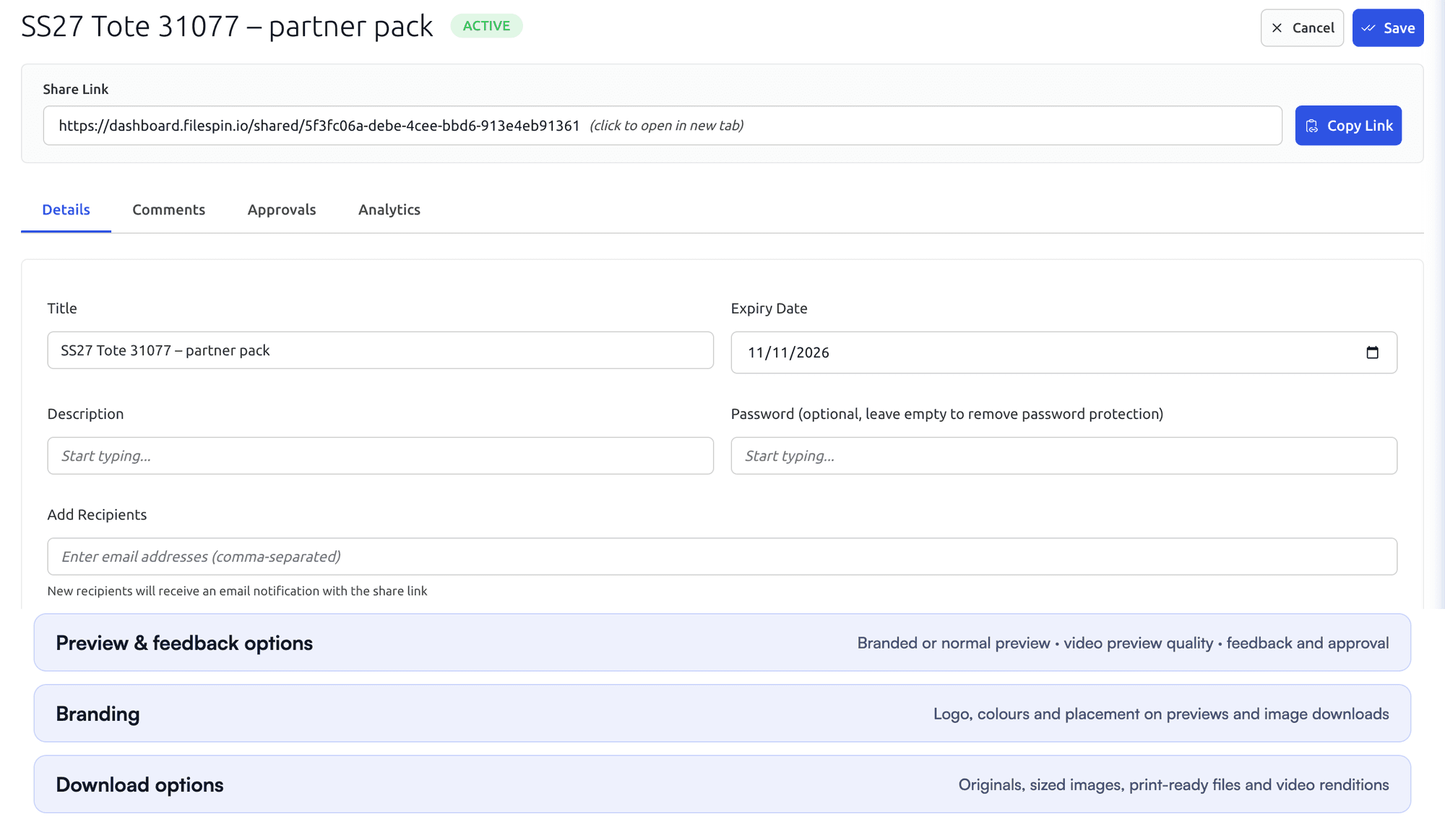

Automate recurring work and stay in control
Do day-to-day work from Dashboard menus and APIs. When you want help, ask the AI Agent to find assets, update metadata, prepare images and create shares, or connect Claude or ChatGPT through the MCP Connector. Scheduled Agents run recurring work, such as tagging a collection on a schedule.
Agent activity records every operation, and per-user credit limits keep usage in check. You can undo tagging and metadata changes. APIs, webhooks and Make, Zapier and n8n integrations connect FileSpin to the tools you already use.
Frontify’s MCP server finds brand content, uploads and organises assets, edits metadata, generates from templates and routes review tasks, with read-only discovery and scoped write packs.
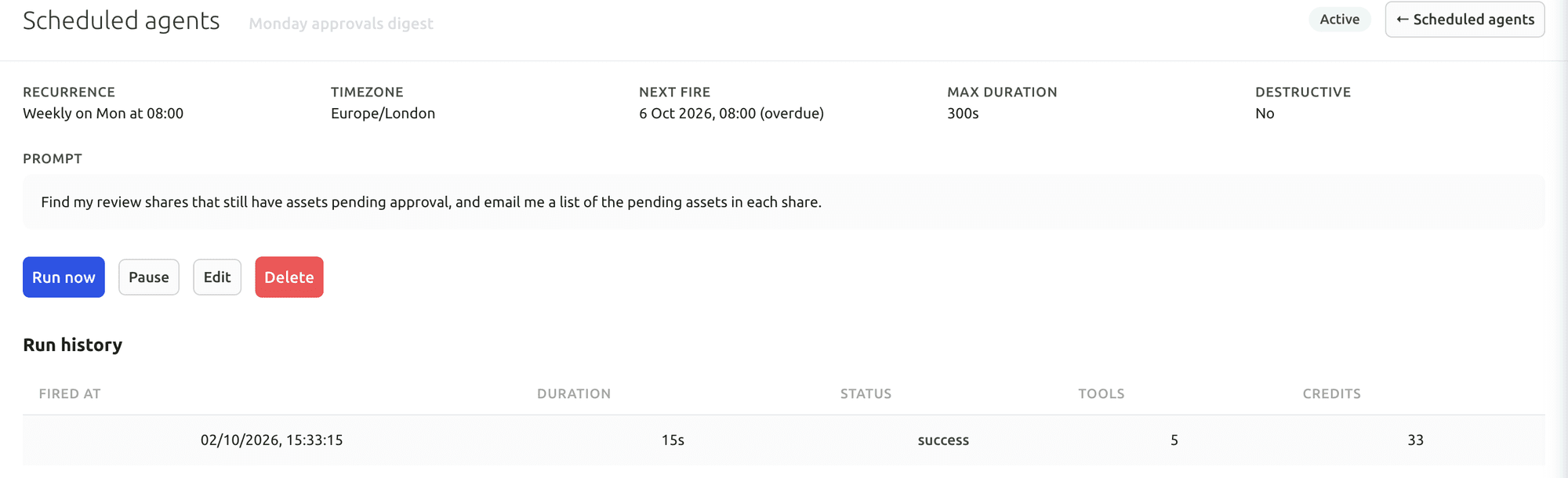
Your first useful task with the Dashboard AI Agent
Give the Dashboard AI Agent a plain-language request, watch it find the assets and carry out the task, then check the result in the library.
Connect Claude or ChatGPT through the MCP Connector
Connect an AI assistant to your FileSpin account, then search assets, update metadata and create shares from the chat, under your own permissions.
Explore the AI Agent and MCP tools →
Connect campaign delivery with operational insights
Tag campaign links by channel, placement and audience, then see the requests, bytes and assets delivered under each campaign. Share analytics shows which partner downloaded which file and output. Usage shows storage, API requests, delivery and AI credits by user and period.
Frontify reports asset views and downloads, share-link activity, external CDN requests and integration usage, alongside guideline and template analytics.
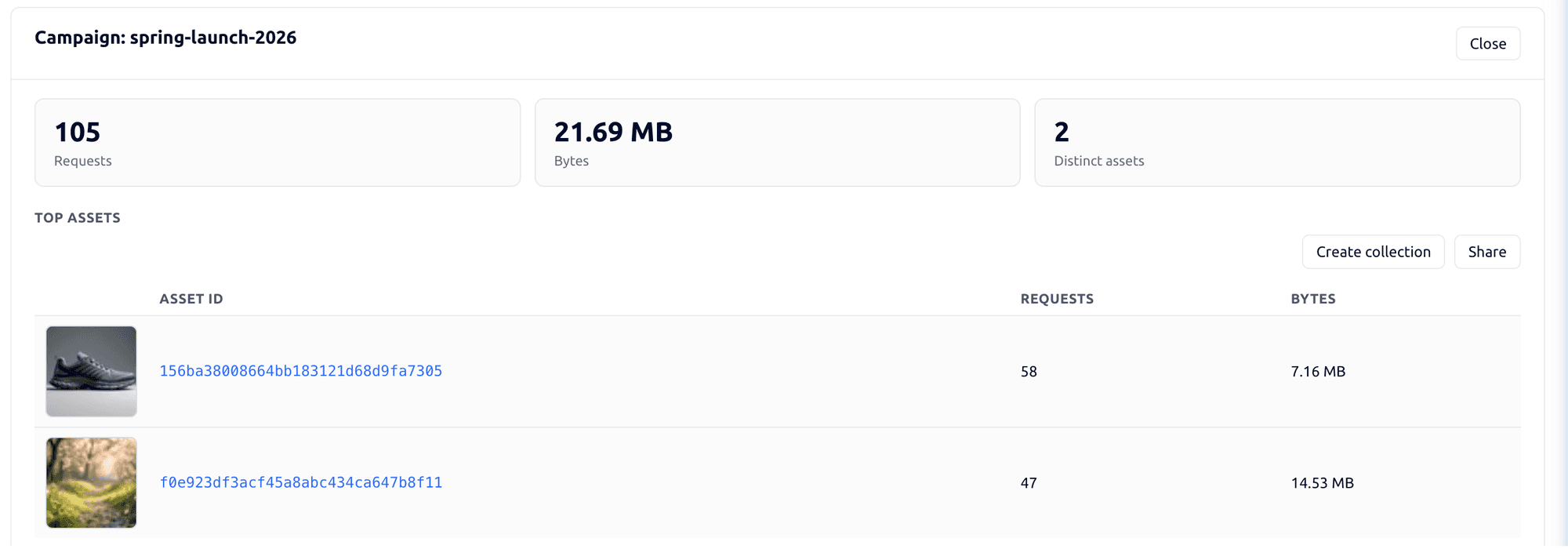

See delivery and usage insights →
Pricing and product scope
Frontify doesn’t publish prices; it tailors packages to monthly active users, with six-month averaging described on its pricing page.
FileSpin publishes its plans: Pay as you go from $5 a month, Growth and Scale with included allowances, and Enterprise by agreement. Plans cover contributors, storage, image and video processing, delivery and the AI usage you choose. Customer-owned S3 storage is on Scale and Enterprise, and Teleport on Enterprise.
Move from Frontify with the right team behind you
Libraries and collections map to FileSpin’s structure, custom metadata types and options map to schemas, and rights, availability dates and related assets travel with each record. Frontify embeds and share links are mapped to FileSpin delivery links before cutover.
Guidelines, template sources, publication workflows and project history each need a retain-or-rebuild decision. Inventory the Frontify library links used in guidelines and downstream applications, and replace them once permissions and approved outputs pass.
Migration starts with a representative collection: originals and metadata are exported, fields and relationships mapped, and the import checked for search, review, permissions and delivery. Old-to-new asset IDs and URLs are recorded so every application reference moves cleanly, and the source stays available until you sign off.
Use Frontify’s OAuth-enabled GraphQL API to enumerate the required libraries, folders and assets. Export asset IDs, tags, customMetadata values and properties, relationships and selected revisions. Use the original downloadUrl for the asset type, rather than previewUrl. A download-protected asset can return no original URL until an approved download request is valid. Refresh expiring download references during extraction.