Prepare media for every channel
Keep the original and prepare the output each channel needs.
Create image sizes, crops and formats from your source assets, and prepare video for playback. Deliver media through URLs where supported or as files for destinations that need an upload.
Book a demo to discuss and begin a custom evaluation. Start a free trial – no credit card required.

The work behind the outcome
Every new destination adds another version to prepare.
When you adapt the same images and video for websites, applications, partner channels and campaigns, every destination asks for something different: a wide image for the website, a tighter crop for mobile, a specific format for a partner. FileSpin lets you prepare the outputs from a shared source, so each new requirement does not have to create a separate source library.


Image renditions
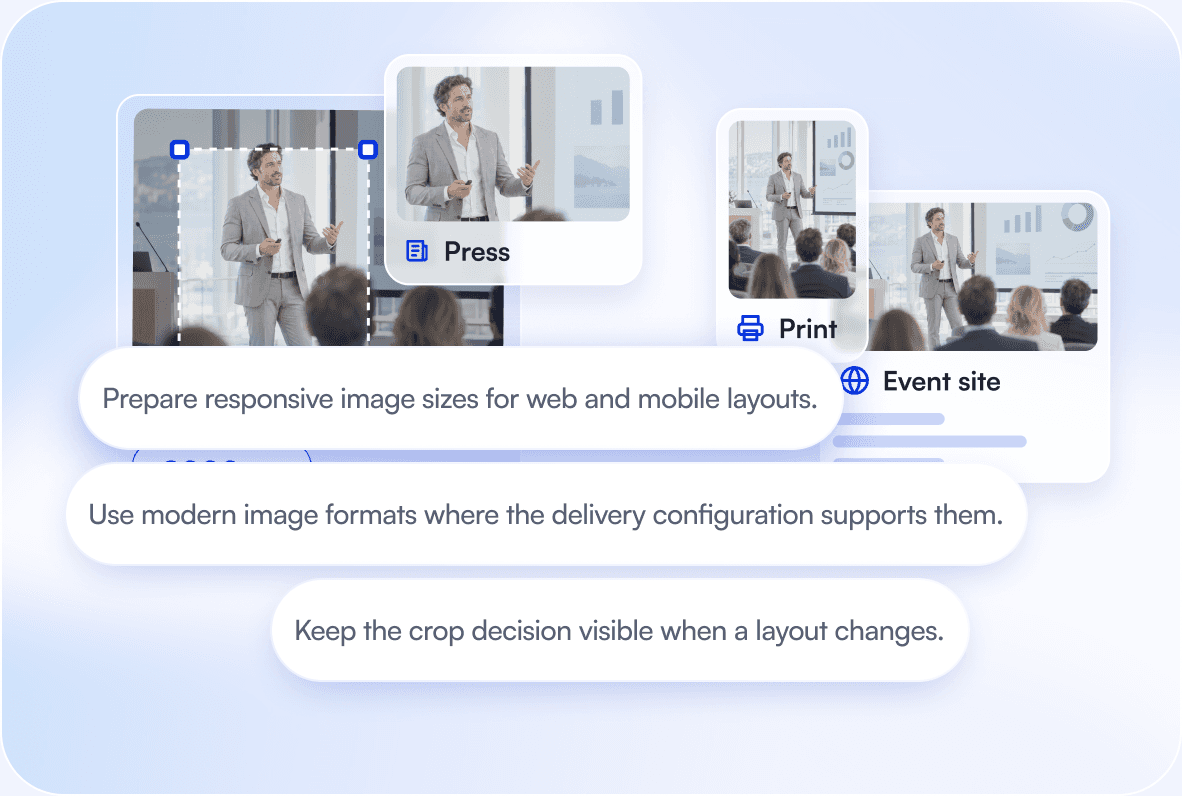
One image, many layouts, a subject that stays in view.
Use On-Demand Imaging to resize, crop and convert images through delivery URL parameters. Set a focal point where the subject needs to stay visible, and check the crop for the intended layout. Generate the rendition from the source instead of maintaining each variation as a separate original.

Video preparation
Make uploaded video ready for playback and reuse.
Transcode source video into the formats your workflow needs and use HLS adaptive streaming for playback across devices and connection conditions. Storyboards help your team inspect the content, and clips let you work with just the part you need.
Destination handoff
Once the output is ready, use the right delivery route.
Some systems reference a FileSpin URL directly. Others fetch a copy and cache it, or need a prepared file uploaded through their own interface. Match that behaviour to your publishing process so the destination receives the right media and refreshes it when needed.

Relevant customer experience
XXL uses its originals to serve changing image requirements.
XXL’s product-media workflow uses high-resolution source images and FileSpin’s on-demand transformations to serve retail channels. New image sizes become transformation parameters instead of rebuilding the source library.


AI Agent / optional workflow
Give the AI Agent a specific output to prepare.
Use the AI Agent for a selected group of images and a defined preparation task. Inspect the generated outputs and approve the handoff. Destination rules and application publishing remain part of the workflow you control.


Before you begin
Questions about channel preparation

Explore another route