Compare FileSpin
Keep product data in your PIM. Give media its own workflow.
A PIM-led stack keeps product attributes, catalogue structure and channel data together. If your team also prepares, reviews and delivers product images and video for many channels, consider FileSpin.
FileSpin keeps media originals, preparation, review and delivery in one library, linked to each product by ID. Optional AI Agents and Scheduled Agents take on routine work within per-user budgets.
By FileSpin · Updated 15 October 2026
Should you shortlist FileSpin?
Shortlist FileSpin when:
- Your PIM should stay the source of product data, while media gets its own workflow linked to each product by ID.
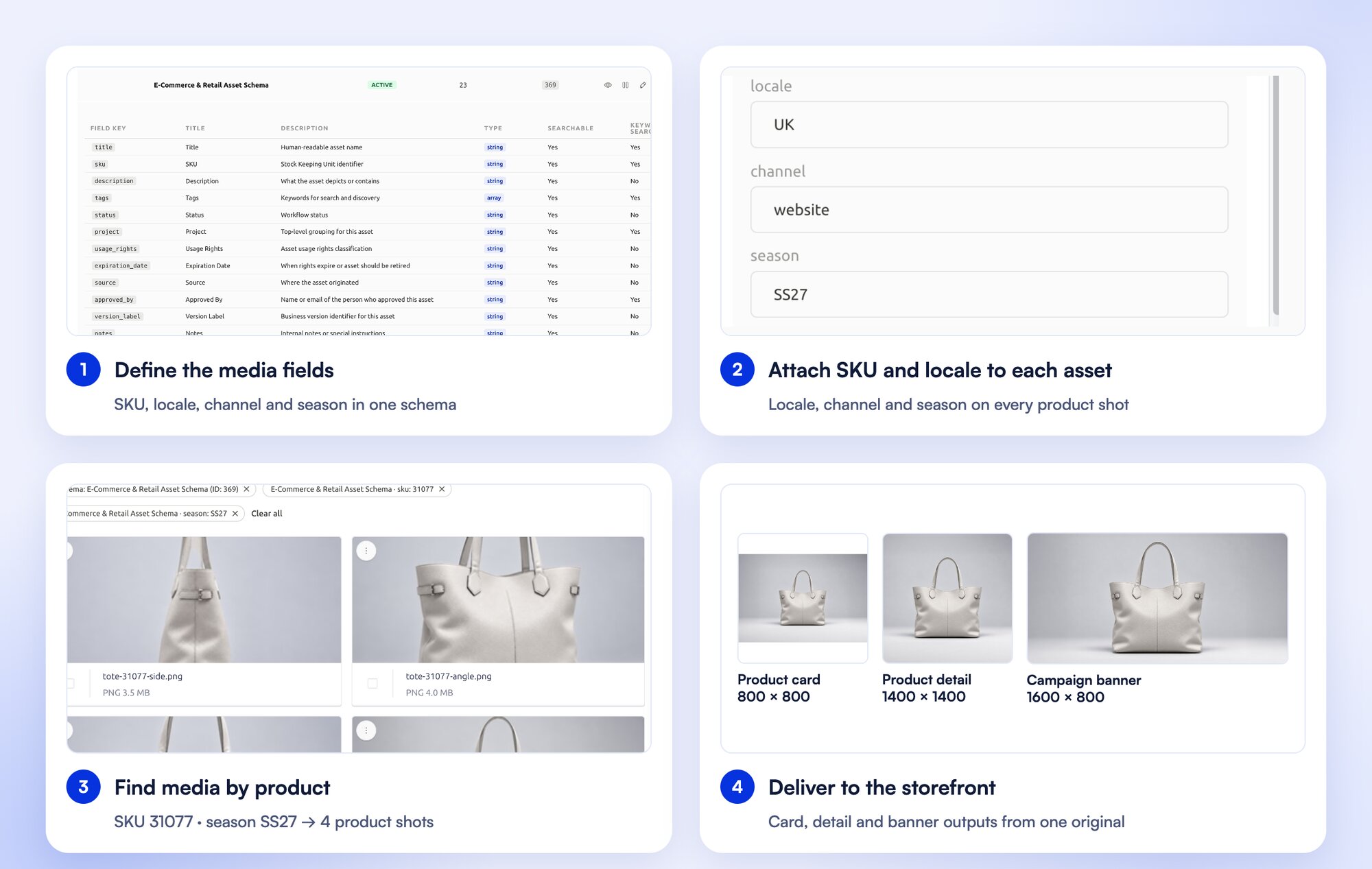
- You prepare product images for many channels and want background removal, ghost mannequin and every size from one original.
- Content teams need to find assets by SKU or campaign, collect approvals and share them without asking developers.
A PIM-led media stack may fit better when:
- Your PIM’s asset module and connected tools already cover the media preparation and distribution you need.
- You want product data, enrichment and channel publishing managed in one system by your merchandising team.
What to test before you decide:
- Take one product family from upload to the storefront outputs each channel needs.
- Map SKU, locale and channel from your PIM to FileSpin fields, and check that your feed or storefront picks up the approved media.
- Replace one product image and confirm each destination shows the new version without breaking product relationships.
Compare the work each platform covers
Akeneo details are taken from Akeneo’s public product pages and documentation, checked 15 October 2026.
Define the media handoff once
The PIM remains the source of product truth. FileSpin manages media originals, preparation, approval and delivery, joined to products by stable product and asset IDs. A storefront can use FileSpin URLs directly, fetch a copy or receive media through your existing product feed.
Your PIM keeps product-to-media relationships, locale and channel context, and the feeds that publish them.
Explore FileSpin for eCommerce →
Make assets usable for the team
FileSpin schemas connect business fields such as SKU, market and campaign to the way people search. Collections group product or campaign assets without duplicating files, and reviews collect comments and approval decisions with due dates.
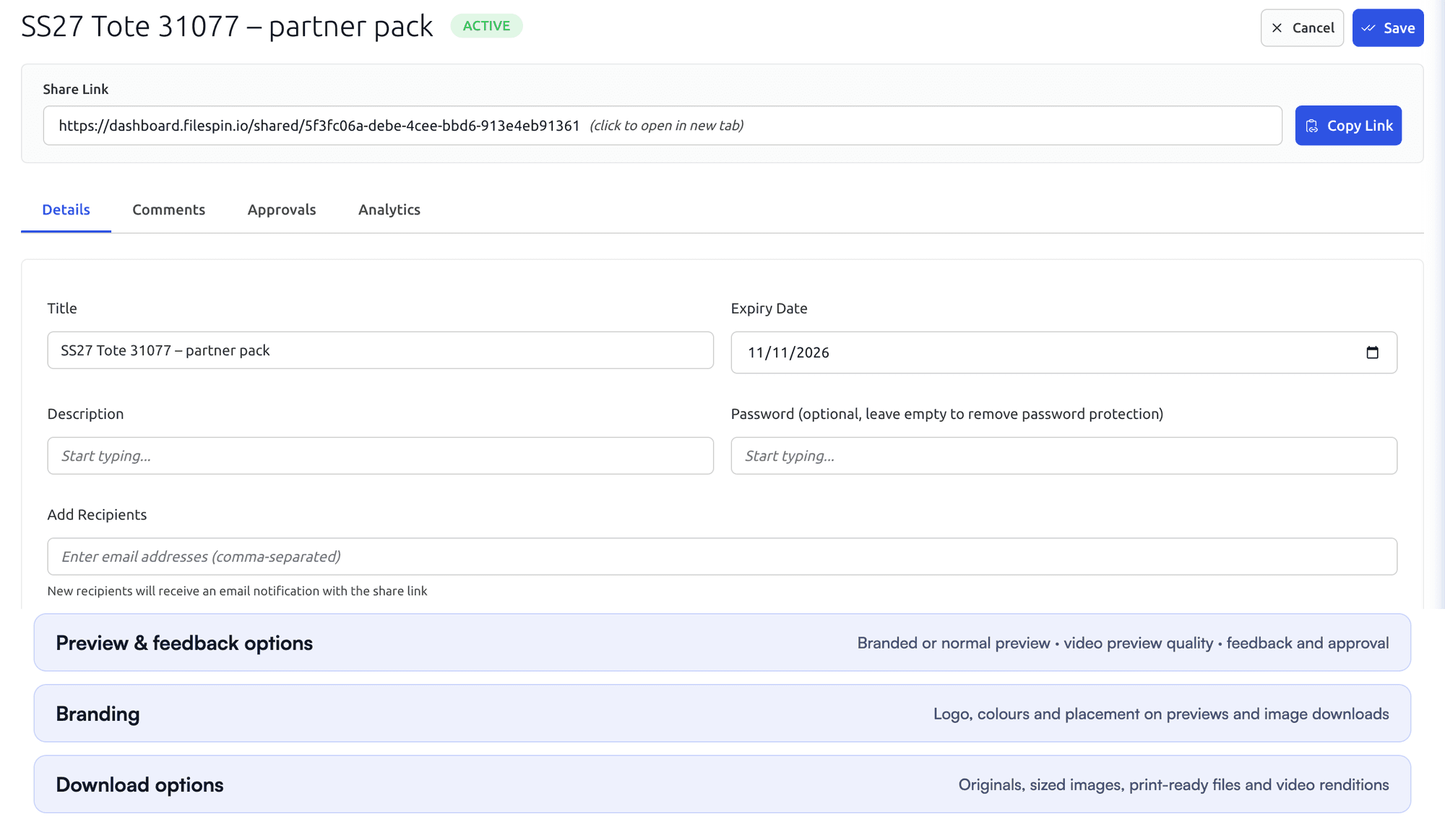
Each share carries its own expiry, optional password, recipients and download options, so every audience gets only what it needs.
PIMs vary: Akeneo’s Asset Manager, for example, provides asset families with typed attributes and an asset API.

Prepare image and video outputs from the same library
Resize, crop, pad and convert images through FileSpin delivery URLs; standard on-demand outputs stay outside storage quota. Remove backgrounds, create ghost-mannequin shots and apply reusable AI edits before delivery, and turn recordings into adaptive HLS streams, clips and storyboards.
In a PIM-led stack, media processing depends on the PIM’s asset module and the tools connected to it.

Prepare product photos for your storefront
Clean up product photos with background removal, then create the sizes and formats your storefront needs from the same original.
Automate recurring work and stay in control
Do day-to-day work from Dashboard menus and APIs. When you want help, ask the AI Agent to find assets, update metadata, prepare images and create shares, or connect Claude or ChatGPT through the MCP Connector. Scheduled Agents run recurring work, such as tagging a collection on a schedule.
Agent activity records every operation, and per-user credit limits keep usage in check. You can undo tagging and metadata changes. The Adobe panel and Make, Zapier and n8n integrations connect FileSpin to the tools you already use.
Your PIM keeps its own enrichment rules and automation; FileSpin’s agents work on the media library.
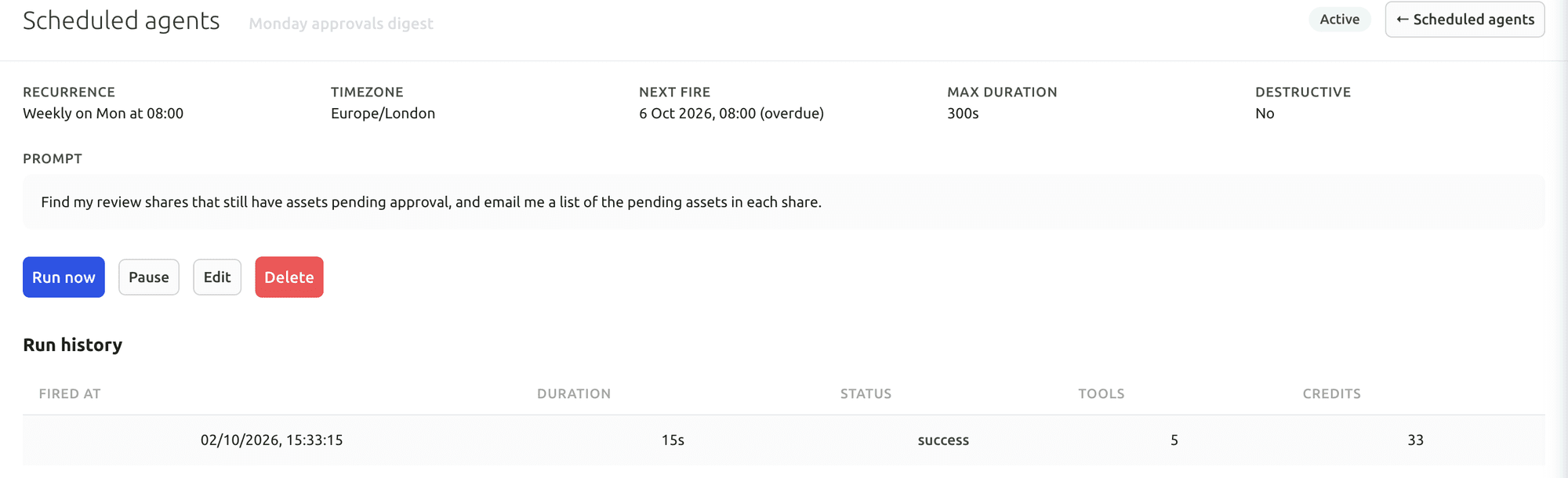
Your first useful task with the Dashboard AI Agent
Give the Dashboard AI Agent a plain-language request, watch it find the assets and carry out the task, then check the result in the library.
Connect Claude or ChatGPT through the MCP Connector
Connect an AI assistant to your FileSpin account, then search assets, update metadata and create shares from the chat, under your own permissions.
Explore the AI Agent and MCP tools →
Connect campaign delivery with operational insights
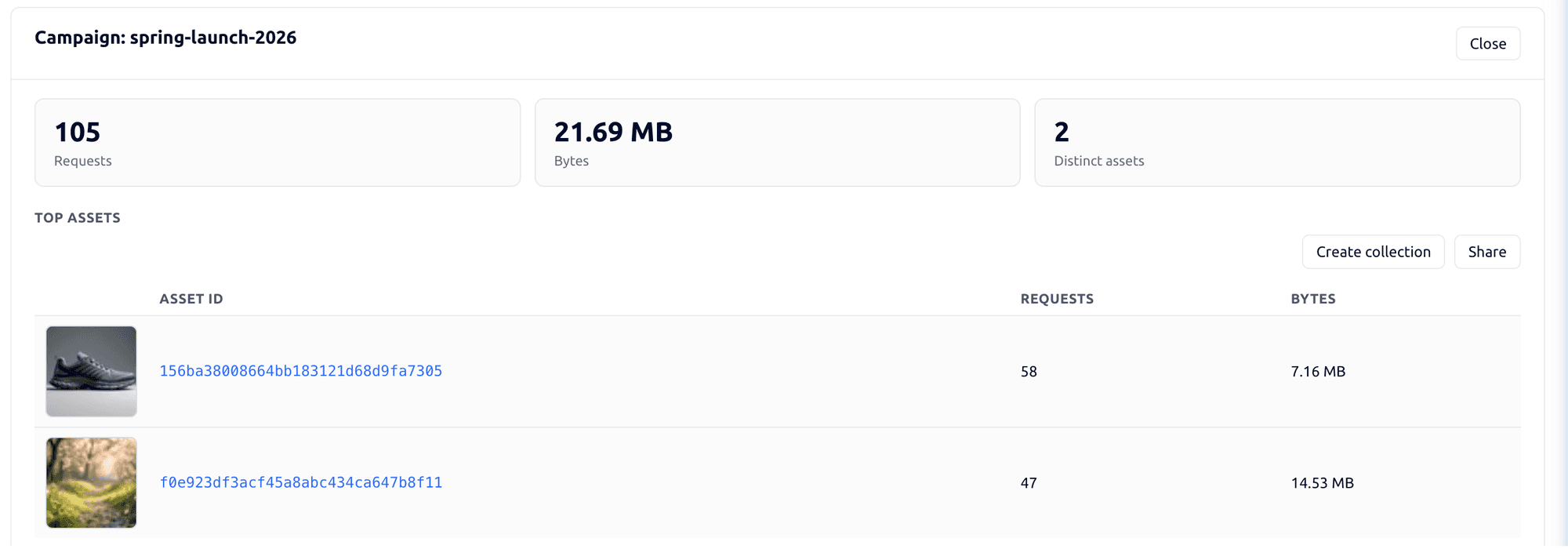
Tag campaign links by channel, placement and audience, then see the requests, bytes and assets delivered under each campaign. Share analytics shows which partner downloaded which file and output. Usage shows storage, API requests, delivery and credits by user and period.
In a PIM-led stack, delivery reporting comes from whichever CDN or analytics tools you connect.

Explore the FileSpin platform →
Compare the complete operating cost
Your PIM and commerce costs stay as they are. FileSpin adds the media workflow under one published subscription, with integration and migration as one-off work.
Customer-owned S3 storage is available on Scale and Enterprise; Teleport and custom schema authoring are Enterprise capabilities. Match those requirements to your plan.
Move your media with the right team behind you
Media originals come across from every store your PIM references, product-to-media relationships stay attached by product ID, and each destination keeps its delivery route through cutover.
Each destination keeps its route, whether a live FileSpin URL, a fetched copy or a PIM feed export, and its refresh is tested before cutover.
Inventory the actual PIM and every media store it references. For Akeneo, product image/file attributes reference media-file codes; the API exposes metadata and download links for those binaries. In Akeneo editions that include Asset Manager, asset families, attributes and media files are separate resources. Export the product-to-media references, asset attribute values and locale/channel scope using the approved API connection, then retrieve authorised originals from each owning store.