Compare FileSpin
Connect optimised image delivery to the team managing the originals.
ImageEngine adapts and delivers images from your existing origins, with device detection choosing the size and format for each request. If your team also manages, prepares and approves the media it delivers, consider FileSpin.
FileSpin keeps originals, preparation, review and delivery in one library, with campaign and usage insights alongside. Optional AI Agents and Scheduled Agents take on routine work within per-user budgets.
By FileSpin · Updated 15 October 2026
Should you shortlist FileSpin?
Shortlist FileSpin when:
- Your team manages the originals as well as delivering them, and wants business-field search, reviews and sharing in one library.
- You prepare images before delivery, with background removal, ghost mannequin, crops and sizes, and also need video outputs from the same library.
- You want campaign delivery, share downloads and usage reporting on the same assets, with an optional AI Agent and MCP tools under per-user budgets.
ImageEngine may fit better when:
- You only need device-aware optimisation and delivery of images that are already managed in your CMS, PIM or storage.
- You want to run image optimisation inside your own cloud with ImageEngine Kube, on a flat monthly licence.
What to test before you decide:
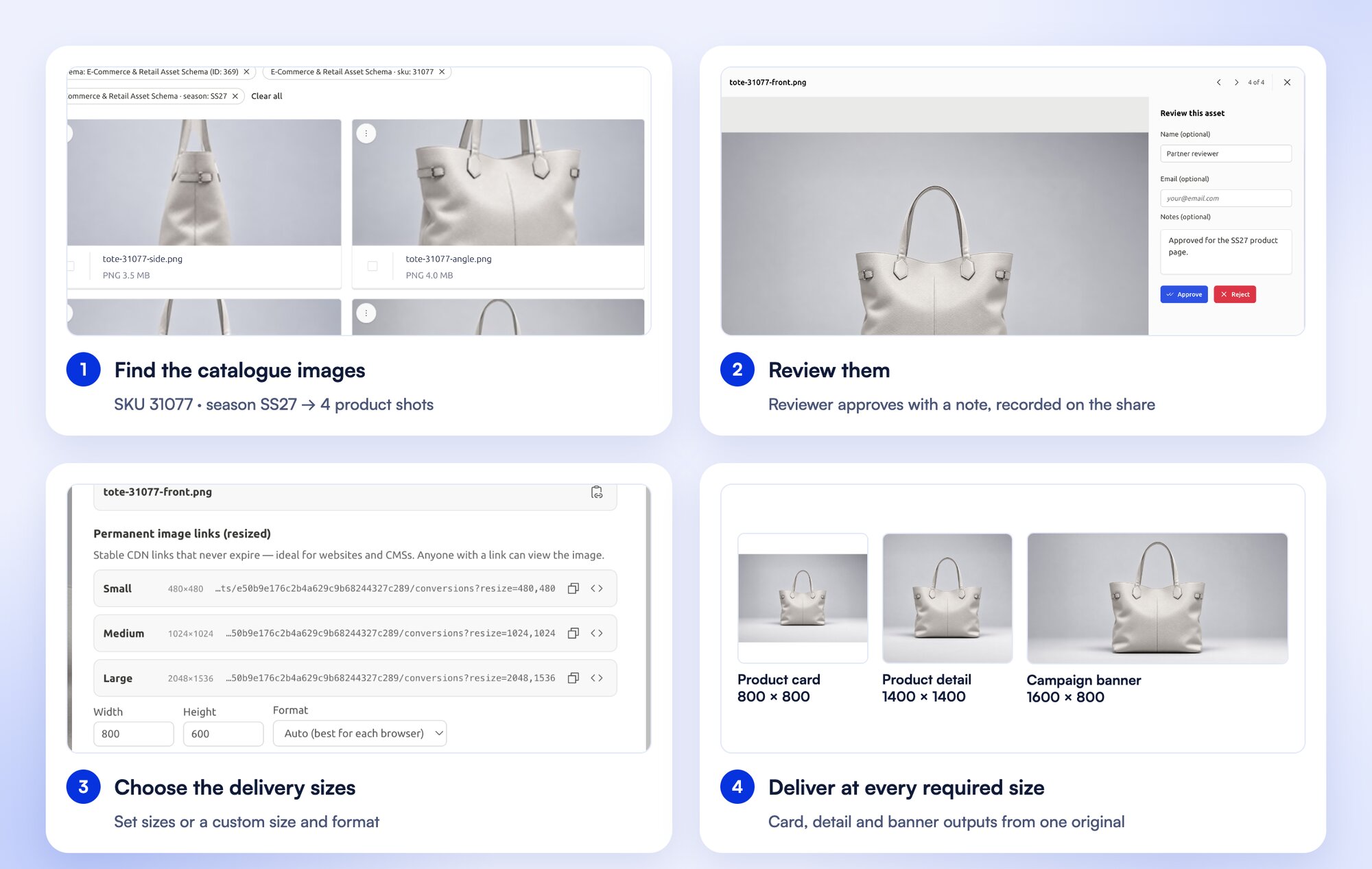
- Take one catalogue refresh from finding the original to approved card and banner outputs.
- Compare FileSpin outputs with your current ImageEngine directives for size, crop, format and quality on a sample of pages.
- Run a review with an external approver, then share the approved files.
Compare the work each platform covers
ImageEngine details are taken from ImageEngine’s public product pages and documentation, checked 15 October 2026.
Keep the delivery benefit, add the asset workflow
FileSpin connects delivery with the people preparing the media: find by product or campaign metadata, select the correct version, request review and generate the outputs. It earns its place when the recurring work includes preparation and coordination as well as image optimisation.
A catalogue refresh: find the right original, review the change, prepare card and banner outputs, and verify delivery across the pages that use them.
ImageEngine specialises in adapting origin images for each device, and leaves the originals where they already live.
Explore the FileSpin platform →
Make assets usable for the team
FileSpin schemas hold the business fields people search by, such as SKU, market and campaign for product media, or session and speaker for events. Collections group assets without duplicating files, and versions stay with their records.
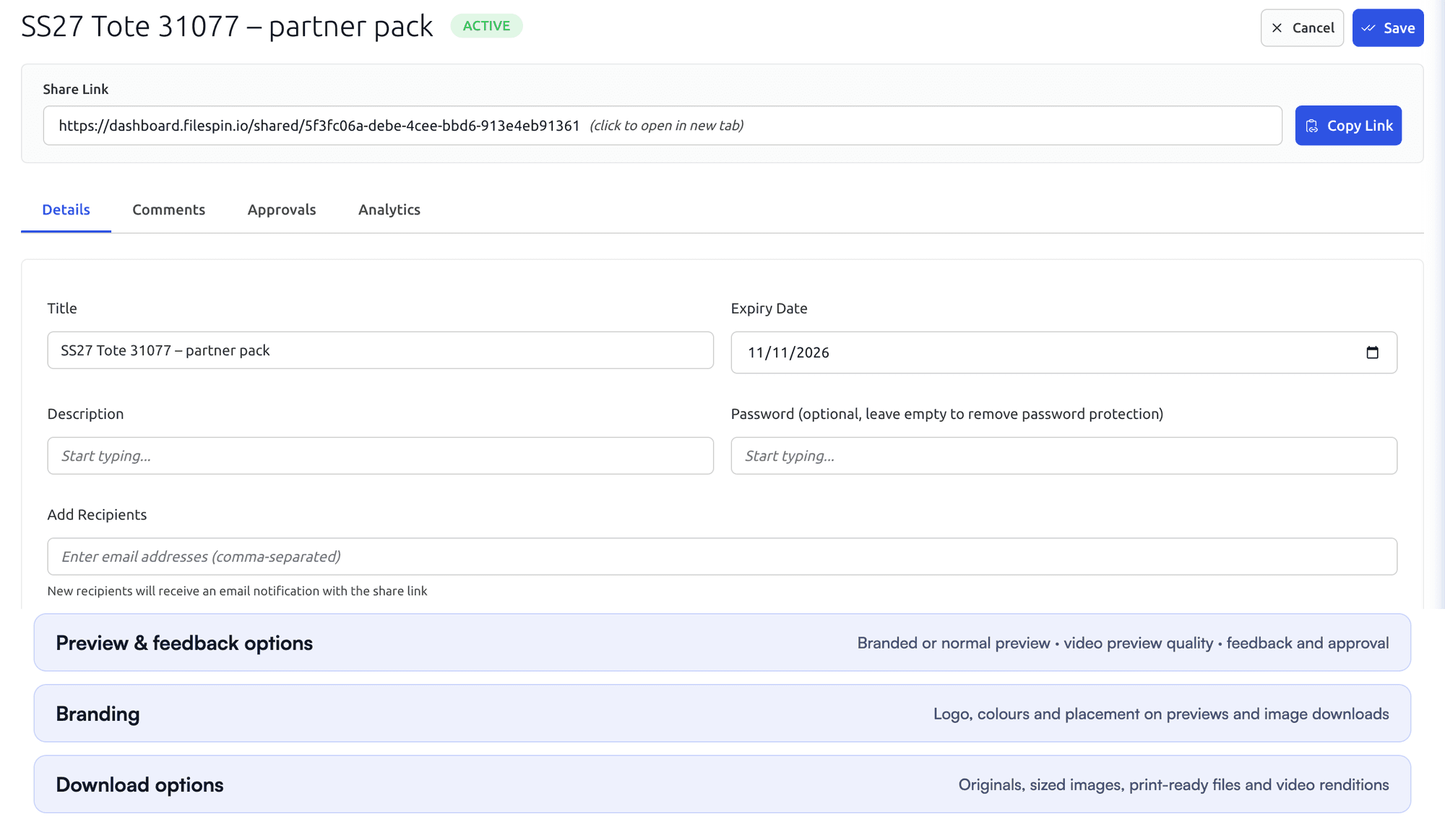
Send assets for internal or external review, then share the approved files with their own expiry, password and download options.
ImageEngine optimises images from your origin, so the business records stay in your CMS, PIM or database.

Prepare image and video outputs from the same library
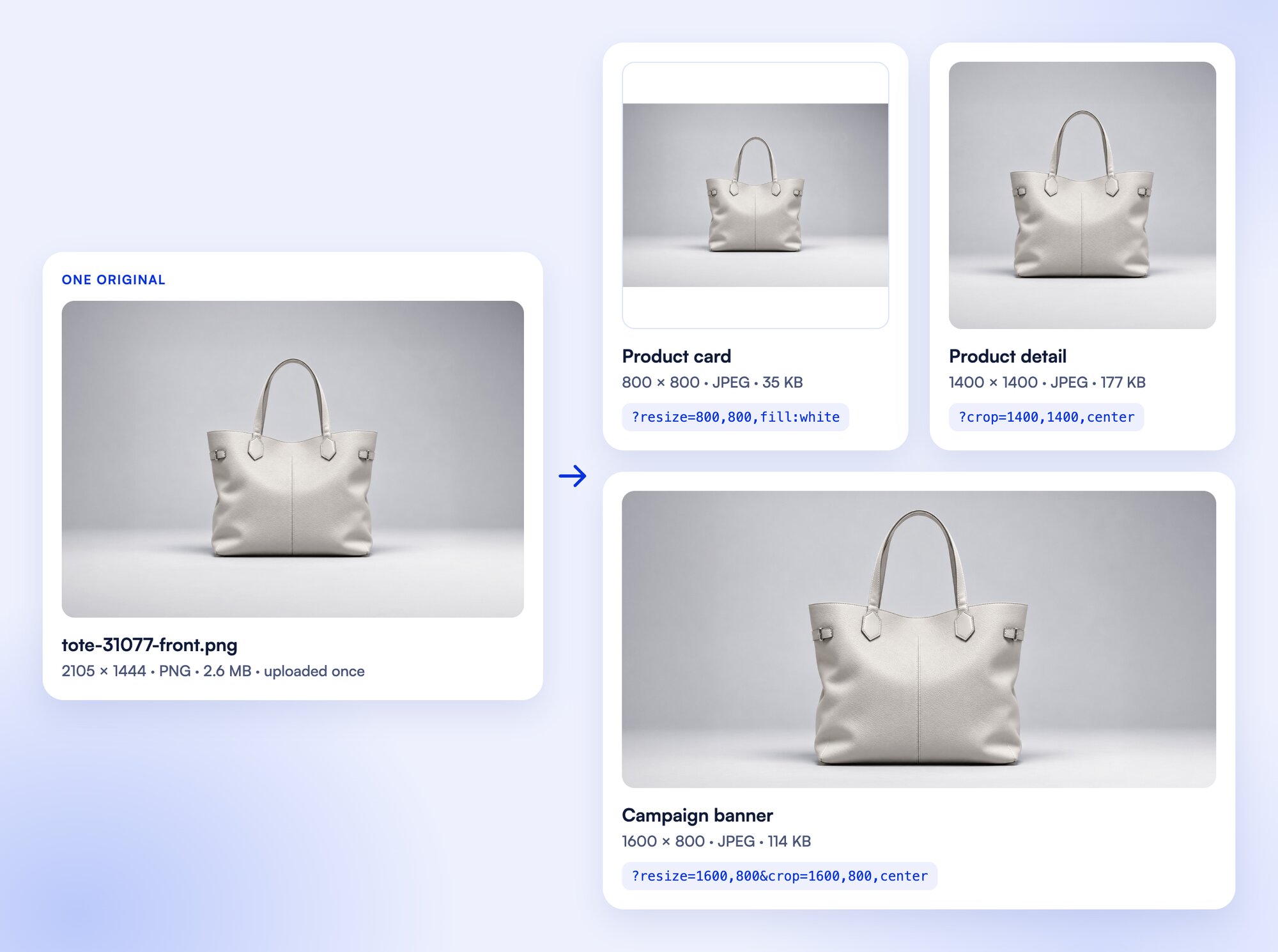
Resize, crop, pad and convert images through URL parameters while the original stays in your library, and standard on-demand outputs don’t count against storage. Background removal, ghost mannequin and reusable AI edits prepare images before review, and recordings become SD and HD versions, adaptive HLS streams, clips and storyboards.
ImageEngine directives set width, height, crop, format and compression in the URL, and its WURFL device detection fits each image to the requesting device.
Prepare product photos for your storefront
Clean up product photos with background removal, then create the sizes and formats your storefront needs from the same original.
Automate recurring work and stay in control
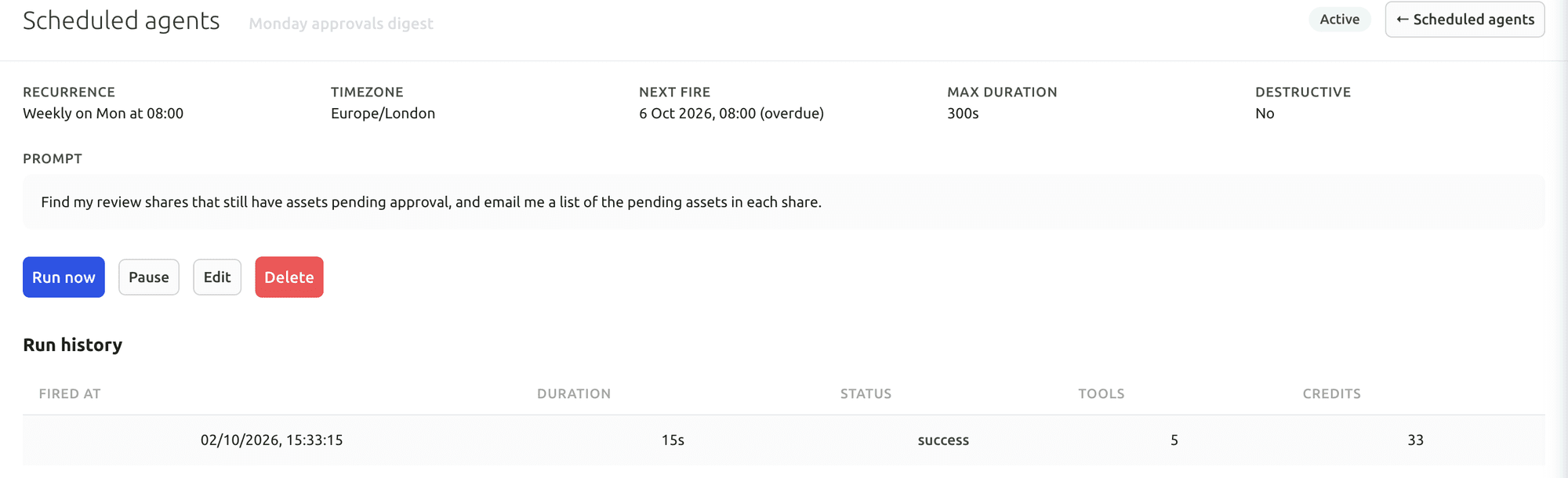
Do day-to-day work from Dashboard menus and APIs. When you want help, ask the AI Agent to find assets, update metadata, prepare images and create shares, or connect Claude or ChatGPT through the MCP Connector. Scheduled Agents run recurring work, such as tagging a collection on a schedule.
Agent activity records every operation, and per-user credit limits keep usage in check. You can undo tagging and metadata changes. The Adobe panel and Make, Zapier and n8n integrations connect FileSpin to the tools you already use.
ImageEngine’s automation sits in delivery, where each request gets the format and size that suit the device.
Your first useful task with the Dashboard AI Agent
Give the Dashboard AI Agent a plain-language request, watch it find the assets and carry out the task, then check the result in the library.
Connect Claude or ChatGPT through the MCP Connector
Connect an AI assistant to your FileSpin account, then search assets, update metadata and create shares from the chat, under your own permissions.
Explore the AI Agent and MCP tools →
Connect campaign delivery with operational insights
Tag campaign links by channel, placement and audience, then see the requests, bytes and assets delivered under each campaign. Share analytics shows which partner downloaded which file and output. Usage shows storage, API requests, delivery and AI credits by user and period.
ImageEngine Kube exposes Prometheus-compatible metrics for your own monitoring dashboards.
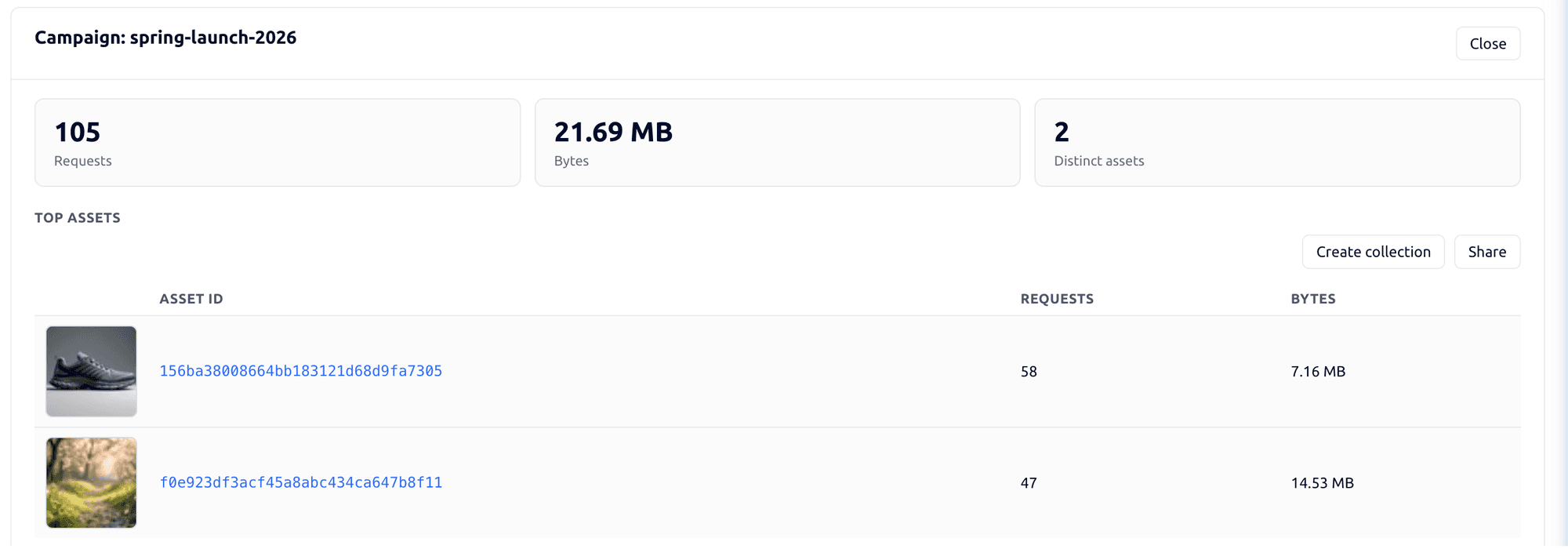

Explore the FileSpin platform →
Compare the complete operating cost
ImageEngine Kube is a flat monthly licence with your cloud and CDN costs on top, and the library and team tools sit elsewhere. FileSpin brings the library, team workflow, processing and delivery together on published plans: Pay as you go from $5 a month, Growth and Scale with included allowances, and Enterprise by agreement.
Customer-owned S3 storage is available on Scale and Enterprise; Teleport and custom schema authoring are Enterprise capabilities. Match those requirements to your plan.
Move from ImageEngine with the right team behind you
Originals come across from your origin, business metadata maps to FileSpin fields, and each ImageEngine directive is rebuilt as the matching FileSpin output before cutover. On ImageEngine Kube (self-hosted), the delivery hostname is yours and points at your Kube deployment, so your team switches it at cutover.
Update application image builders, responsive markup and delivery references. Each ImageEngine directive is rebuilt as the matching FileSpin size, crop, format and quality, and checked before cutover.
ImageEngine reads your originals from your own origin, so the migration copies them straight from there: the web server, S3 bucket or Google Cloud Storage behind each delivery address. Business metadata comes from the CMS, PIM or database that holds it. The manifest records each delivery address, origin, object path, directives and origin access rule, and retained revisions come from your origin’s version history.