Agentic AI & Automation
Run a Campaign Workflow in Minutes With AI in Digital Asset Management
See how FileSpin's AI digital asset management runs a full marketing campaign workflow — from upload to published portal — in minutes from a single prompt.
Ramya Selvakumar
5 min read
From the FileSpin archive. Product capabilities, plans and interfaces may have changed since publication.

Consider a marketing team in a theatre company, launching a campaign for a west end musical across email, social and web.
Launching and running a multi-channel campaign requires a lot of manual steps before anything goes live. The photographer shoots production stills and behind-the-scenes video offsite and uploads it all securely in their DAM as a collection. The photo editor edits the media, adds colour-correction and enhancements, then approves the best images and a video, and hands them on. The marketer only ever sees what’s approved, sorts the metadata, generates print-ready and web-ready versions, and publishes to a portal — while the team head checks which assets are performing best across email, social, and web.
That’s several people, multiple channels, an offsite shoot, an approval cycle, controlled-vocabulary metadata, derivatives, and analytics. Most tools get in the way of people and slow the campaign launch. FileSpin is built to speed this up without getting in the way. To start with, I will show you how this is done manually click by click in the dashboard, and then show you the campaign launch using FileSpin AI Agent with a single prompt.
Launching a campaign manually, step by step
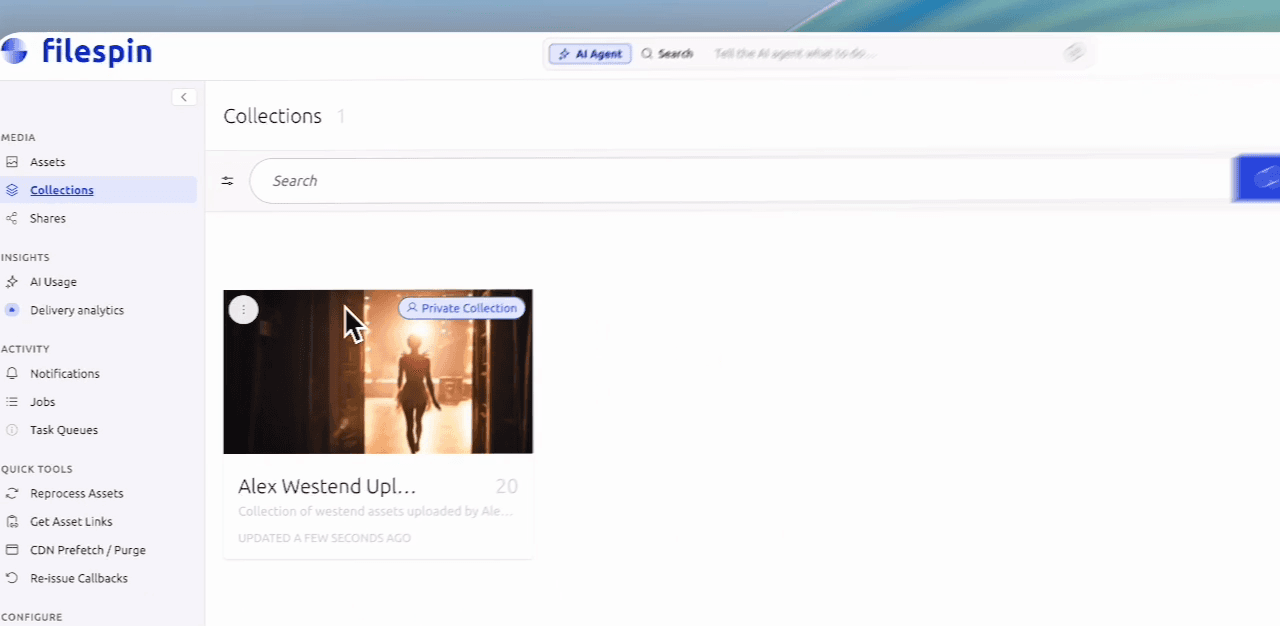
Step 1: Creating a Collection
The images and videos from the shoot are uploaded securely into the DAM. The first step is to group them into a collection so the campaign’s assets are organised in one place.
Step 2: Image editing
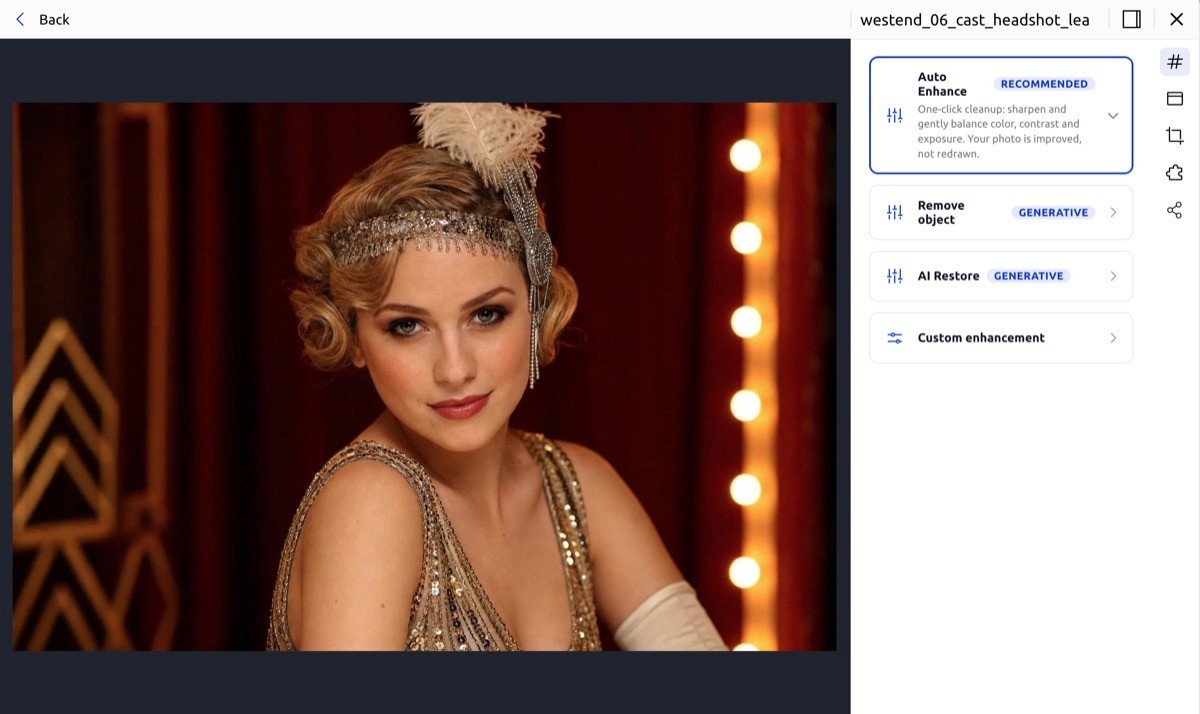
Then the images get edited within the platform. FileSpin has its own manual and AI image editor built in, so you can colour-correct the full-costume and marquee shots without exporting to a separate tool or emailing files around. A big win here is not needing a specialised tool like Photoshop when a quick edit is all that is needed.
Step 3: Metadata Review
Next comes metadata. You work through each asset, accepting or rejecting the AI autotagging suggestions and layering in controlled-vocabulary terms so everything is findable and on-schema.
Step 4: Review and Approval with Branded Share Pages
The collection is then securely shared to a teammate via a private link. The link opens a branded page where users can preview images and play videos, review and approve/reject.
Step 5: Export for Print and Web
Then we can generate the deliverables. Print-ready and web-ready versions on demand from the same masters, including a professional CMYK / 300 DPI file for print.
Every one of these steps is easy to do through the dashboard. But it is manual work involving dozens of clicks across several people to carry one campaign from shoot to portal. Great if you like it this way. There is a faster way if you prefer. Read on.
The same workflow, done by AI agent with just one prompt
Now let’s see how FileSpin AI agent can deliver the same campaign workflow, end to end from the dashboard. Note that we can also tell the Agent to track the tasks and remind us about pending items and follow-ups (nice!).
The agent takes plain-language instructions like this:
Plan and execute a 5-minute campaign launch for West End musicals:
(1) create a collection called “Westend launch” with all assets tagged “west end”
(2) share the collection with the team for approval and display the share URL, reminding me to fix poor images and asset metadata
(3) once approved, I will manually select assets for you to create and send a share of print-ready images to me for billboards
(4) remind me to grab campaign tracking URLs, check Delivery Insights, update the Webflow hero image, and set up AI Agent scheduling.
First, the Agent starts by searching and finding the assets and creating a concrete plan, in seconds. It then starts executing the steps.

The final few steps to generate print-ready and web deliverables.

Once agent completes and reviews are done and approvals are obtained. We can use the Campaign links builder to get the campaign URLs suitable for web, email embeds. These campaign URLs track engagement.
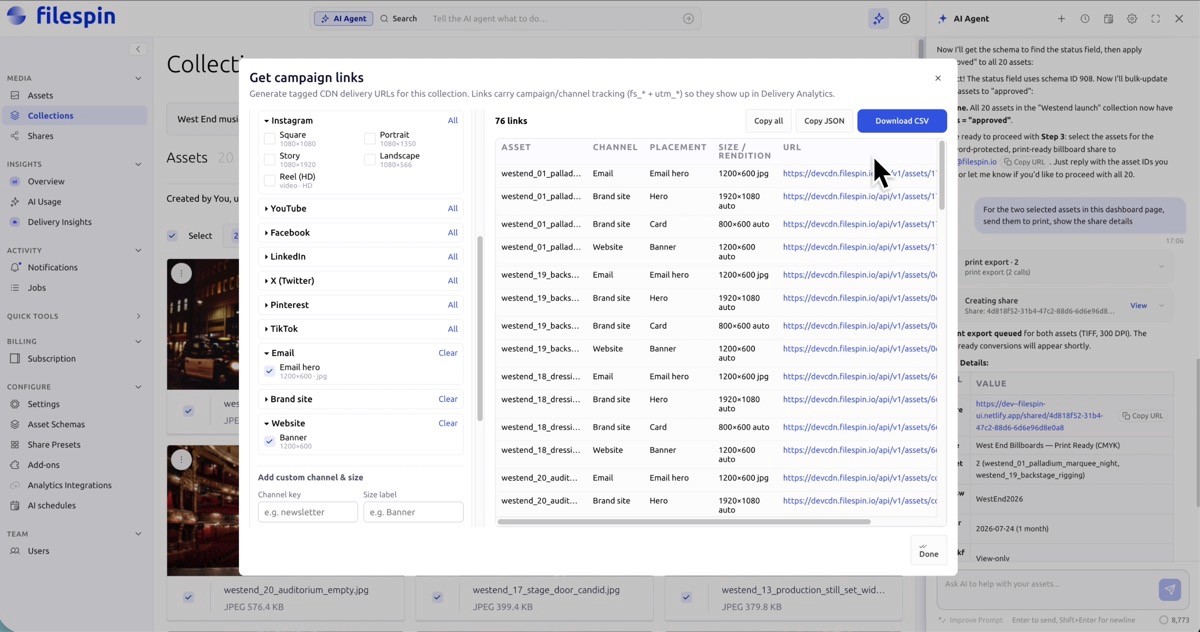
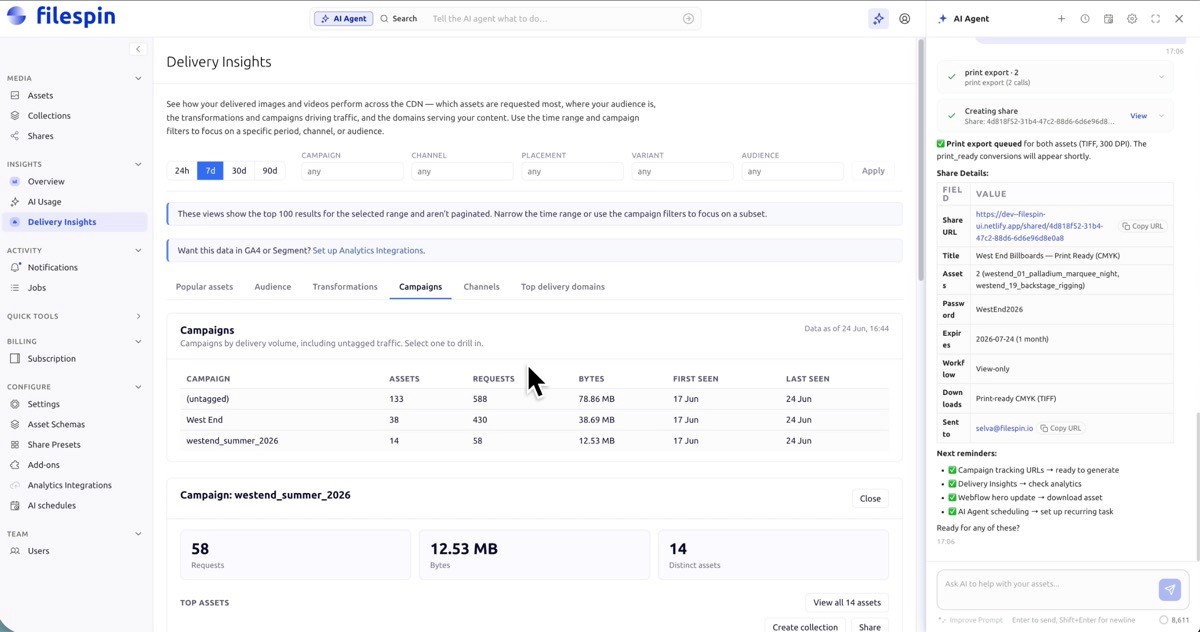
Up until now takes about 5 minutes. We now launch the campaign. After the campaign is launched with the links, we can check engagement and campaign performance via Delivery Insights and continue to improve the campaign.
A note on agent guardrails
The important part here isn’t just the speed but it’s also that you have the control in each step. The agent operates under your permissions. It validates every write against your schema. It can’t bulk-delete or overwrite your originals. Every action it takes is logged in a permanent audit trail, and every action is reversible. You approve what it does and the agent does the grunt work. Your team keeps the judgment calls and creative ops.
This is the difference between “AI that manages your assets” and an agent you can use to launch a live campaign: same guardrails as your human users, full audit, nothing it can’t undo. Start to finish in minutes.
This is not a gimmick
This campaign is a stand-in for what marketing and creative teams do every week: assets scattered across drive folders, WeTransfer links, agency handoffs, multiple CDNs, and approvals buried in email.
With FileSpin, agents do the grunt work while your team retains control and gains AI superpowers.
Prove it within your setup with one workflow — like this one — then expand across the rest of your assets when it pays off.
See what FileSpin does with your media
Try it on your own assets and see for yourself!
